
Introduction
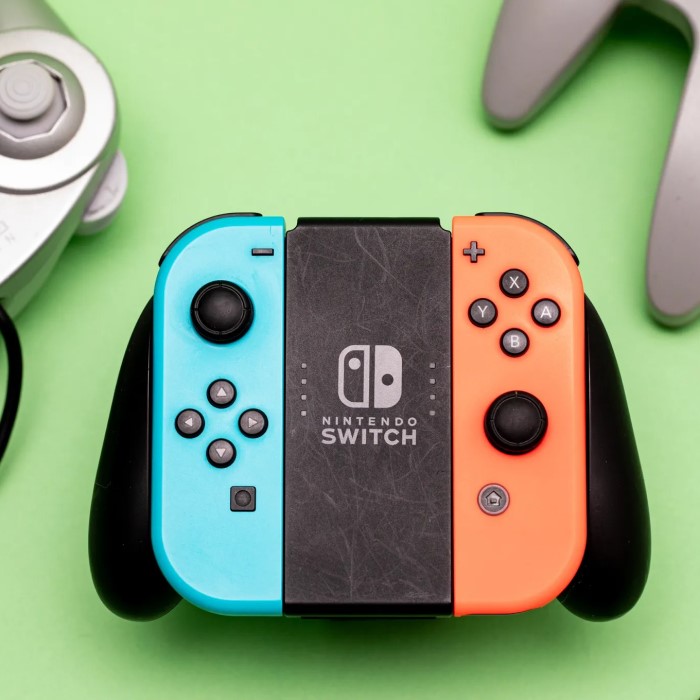
Nintendo joysticks are vital accessories for console gamers. They offer precision and smooth control, making gameplay immersive and enjoyable. Designed for Nintendo consoles, these controllers feature advanced technologies to enhance gaming performance and user comfort.
What is a Nintendo Joystick?
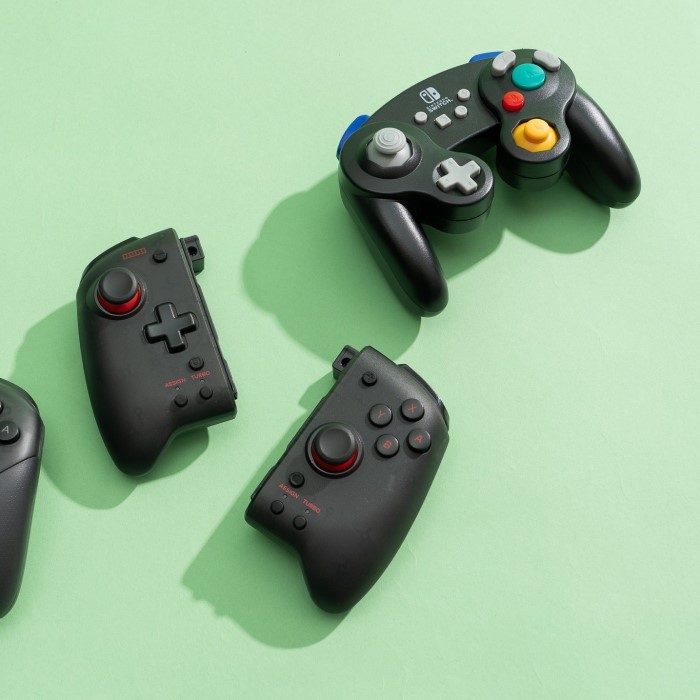
A Nintendo joystick is a handheld gaming controller. It is used to interact directly with Nintendo games on consoles. These joysticks are equipped with buttons, directional pads, motion sensors, and sometimes analog sticks. They are designed to provide accurate control and seamless movement during gameplay.
Brief History of Nintendo Controllers
Nintendo controllers have evolved greatly over the years. The original NES controller (1983) had a simple rectangular design and basic buttons. The SNES controller (1990) introduced shoulder buttons for more flexible gameplay. The Nintendo 64 controller (1997) incorporated an analog stick for 3D game settings.
Modern controllers like the Joy-Con and Switch Pro Controller integrate advanced motion sensors and wireless technology. Each innovation provided gamers with new ways to experience their favorite games. Nintendo continually refines its joystick designs to match changing gaming needs.
Key Features
Nintendo joysticks are packed with features that improve gameplay and user experience. From ergonomic designs to motion sensing, these features make gaming more engaging and intuitive.
Ergonomic Design and Comfort
Nintendo joysticks prioritize user comfort. Their ergonomic designs fit well in players’ hands. This reduces strain during long gaming sessions. Textured grips and lightweight builds enhance control and ease of handling.
Controllers are designed for both adults and kids. Adjustable wrist straps on Joy-Con controllers further add safety. Overall, Nintendo ensures their joysticks provide maximum comfort.
Customizable Buttons and Settings
Customizable buttons allow players to tailor controls to their preferences. Certain Nintendo controllers let users remap buttons for convenience. Gamers can personalize layouts for their favorite titles.
In addition, some models include programmable settings. Features like turbo buttons enable faster gameplay actions. This customization enhances a player’s experience and gives them a competitive edge.
Advanced Motion Sensing Capabilities
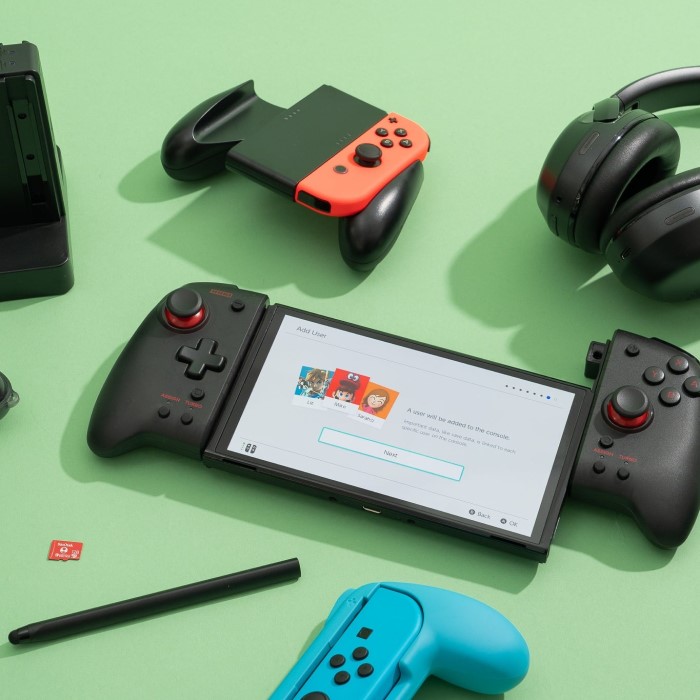
Nintendo joysticks incorporate cutting-edge motion sensing technology. Joy-Con controllers use built-in accelerometers and gyroscopes to track movements accurately. This allows intuitive control, especially in action and sports games.
Motion sensing adds an interactive layer to gameplay. It makes exploring game worlds or mimicking physical actions more realistic. Features like HD Rumble amplify feedback sensations, increasing immersion dramatically.
Overall, these features demonstrate Nintendo’s commitment to delivering innovative and user-friendly gaming accessories.
Benefits of Using
Enhanced Gaming Experience
Nintendo joysticks elevate your gaming adventures. Their responsive controls make gameplay smoother and more immersive. Features like motion sensing and HD Rumble bring games to life. These joysticks seamlessly adapt to different game types, enhancing excitement. Whether you’re racing, fighting, or exploring, Nintendo joysticks enhance every moment.
Precision and Control in Gameplay
Nintendo joysticks are designed for precision. Their analog sticks enable accurate character movements. Motion sensors track physical gestures with high accuracy. Customizable buttons provide tailored controls, ensuring optimal performance in games. This precision gives players a competitive advantage. Every input feels natural and intentional, boosting gameplay confidence and enjoyment.
Compatibility with Various Nintendo Consoles
Nintendo joysticks work with a wide range of consoles. Joy-Con controllers are made for the Nintendo Switch, offering versatility. The Switch Pro Controller is preferred for traditional gameplay. Retro NES and SNES controllers pair with classics, bringing nostalgia to modern setups. This compatibility ensures you can enjoy Nintendo games regardless of the console you use.
Popular Models
Nintendo offers a range of joystick models to suit different gaming styles and preferences. Each model has unique features, allowing gamers to select the right controller for their needs.
Nintendo Switch Pro Controller
The Nintendo Switch Pro Controller is ideal for players who prefer a traditional gaming feel. It features an ergonomic design that ensures comfort during long gaming sessions. The controller has responsive buttons, an accurate D-pad, and reliable analog sticks for enhanced control.
This model includes advanced motion sensors for immersive gameplay. It also offers HD Rumble for realistic feedback. The battery life is impressive, lasting up to 40 hours on a single charge. Its compatibility with many Switch games makes it a popular choice among gamers.
Joy-Con Controllers
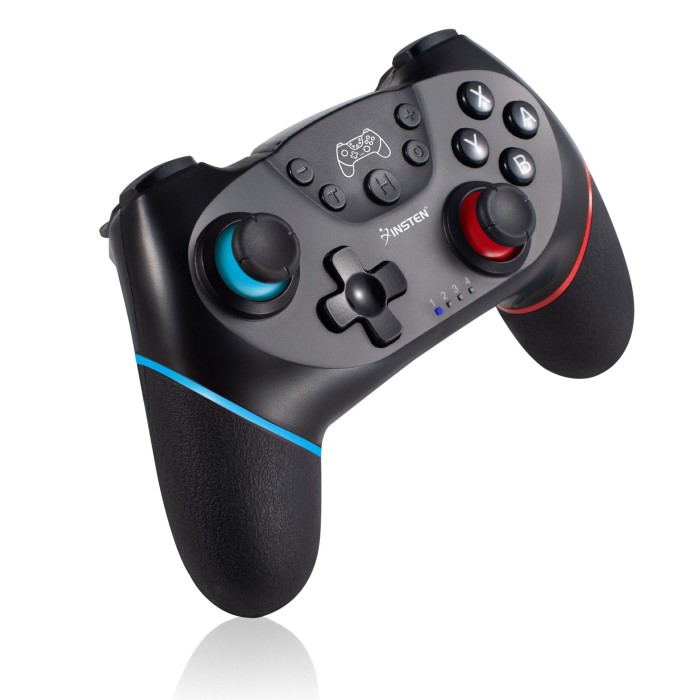
Joy-Con controllers are versatile and unique, designed specifically for the Nintendo Switch. They can function as separate controllers or attach to the console for handheld mode. Their lightweight and compact design make them travel-friendly.
Joy-Cons come with motion sensors, HD Rumble, and built-in vibrations for interactive gameplay. They also have different color options, allowing gamers to choose their style. Adjustable straps add convenience and safety during active gaming sessions, especially for group games.
Retro NES and SNES Controllers
The retro NES and SNES controllers are perfect for fans of classic Nintendo games. They emulate the original designs of Nintendo’s early consoles, providing a nostalgic experience. These controllers are compatible with Nintendo Switch’s online library of retro games.
They are simple yet effective, featuring basic buttons and a compact layout. Their wired or wireless options accommodate both modern and classic gaming setups. These controllers let players relive memories while enjoying timeless games with authentic controls.
Maintenance Tips
Proper maintenance ensures your Nintendo joystick stays functional and lasts longer. Regular care can enhance performance and prevent damage. Below are essential tips to help you maintain your joystick effectively.
Cleaning and Proper Care
Cleaning is vital to keep your joystick in top condition. Dust and dirt can affect performance. Use a soft cloth to wipe the surface regularly. For deeper cleaning, use a cotton swab with isopropyl alcohol to clean buttons and analog sticks. Avoid using water as it can damage internal components.
Keep your joystick in a safe location when not in use. Store it in a dry and dust-free area to prevent harm. If possible, use a protective case to shield the joystick from accidental falls or scratches. Proper care extends the joystick’s life and maintains its responsiveness.
Troubleshooting Common Issues
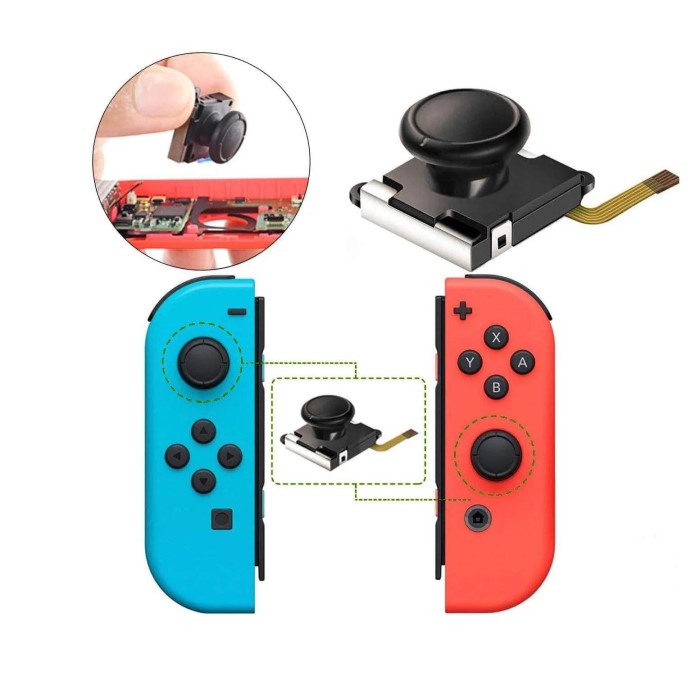
Players often encounter problems such as sticky buttons or unresponsive analog sticks. These issues can hinder gaming experience and performance.
Checking for Physical Obstructions:
-
- Start by inspecting the affected buttons and analog sticks for any physical obstructions. Look for dirt, debris, or foreign objects that might be causing the problem.
- Ensure that there is no food residue or liquid spills that could interfere with functionality.
Cleaning Affected Components:
-
- If you identify any dirt buildup or obstructions, gently clean the components.
- You can use a soft cloth, cotton swabs, or compressed air to remove dirt. Be cautious not to use too much liquid if cleaning with a damp cloth.
Recalibrating the Controller:
-
- If buttons continue to stick even after cleaning, consider recalibrating the controller.
- This can often be done through the settings menu on your console. Follow the prompts to reset the controller’s sensitivity and responsiveness.
Addressing Connectivity Problems:
-
- For issues related to connectivity, the first step is to check the battery level of your joystick. Make sure it is fully charged.
- If the battery is low, recharge it before attempting further troubleshooting.
Restarting the Console and Reconnecting:
-
- Sometimes, a simple restart can resolve connectivity problems. Turn off your console and then power it back on.
- After restarting, attempt to reconnect the controller to see if the issue is resolved.
Updating Firmware:
-
- If the controller still struggles to connect, it may require a firmware update.
- Check for any available updates in the console settings or on the manufacturer’s website to ensure your controller is running the latest software.
Consulting the User Manual:
-
- If you continue to experience issues after trying all the above steps, it may be helpful to consult the user manual.
- The manual often contains specific troubleshooting tips and guidance tailored to your particular model.
Importance of Timely Troubleshooting:
-
- Addressing these common issues promptly can help avoid further complications.
- By resolving them in a timely manner, you may save yourself the expense of buying replacements or additional accessories.
Prolonging the Lifespan of Your Joystick
Handle your joystick carefully to avoid unnecessary strain. Avoid pressing buttons too hard or over-extending analog sticks. Use wrist straps for Joy-Con controllers to prevent accidental drops during active gameplay.
Charge your joystick properly to preserve battery health. Avoid overcharging or using incompatible charging cables. Regular firmware updates ensure optimal functionality and compatibility with new games.
By following these tips, you can enjoy seamless gaming for years with your Nintendo joystick.
Choosing the Right Nintendo Joystick for Your Needs
Selecting the perfect Nintendo joystick improves your gaming experience. Consider essential factors and game type compatibility.
Factors to Consider Before Buying
Compatibility with Your Console:
It is crucial to verify that the joystick you choose is compatible with your specific Nintendo console. For example, controllers such as the Joy-Con are designed exclusively for the Nintendo Switch.
If you are a fan of retro gaming, you may want to consider specialized retro controllers that are tailored for classic gaming experiences, especially if you plan to use them with a Nintendo Switch or similar devices.
Gaming Style and Preferences:
Reflect on the types of games you enjoy the most. If you frequently engage in intense, action-oriented games, look for a controller with an ergonomic design and highly responsive buttons. The Switch Pro Controller is a great option in this case.
Conversely, if you prefer casual games or those that utilize motion controls, the Joy-Con, with its unique features and functionality, would be more suitable for your gaming style.
Comfort and Ergonomics:
The design and overall feel of the joystick play a significant role in your gaming experience, especially during extended play sessions.
Consider opting for controllers that include textured grips, as they provide better handling and comfort. Lightweight designs are also beneficial, as they reduce strain on your hands during longer gameplay.
Wireless vs. Wired Options:
One of the key factors to consider is whether to go for a wireless or wired controller. Wireless models offer greater freedom of movement and eliminate the hassle of managing cables, making them perfect for couch gaming.
On the other hand, wired controllers typically provide a reliable connection and are less prone to latency issues, which can be crucial during competitive gaming. Your choice should depend on your personal setup and gaming preferences.
Battery Life:
Pay attention to the battery life of the controllers you are considering. A controller with extended battery life, such as the Switch Pro Controller, which can last up to 40 hours, can significantly enhance your gaming experience by reducing downtime for recharging.
A longer battery life is especially advantageous for gamers who play for long periods or participate in gaming marathons.
Budget:
Before making a purchase, it’s important to establish your budget. Determine how much you are willing to invest in a gaming controller, as prices can vary widely.
While high-end controllers may come with advanced features, such as customizable buttons and enhanced ergonomics, there are also retro and basic models available that can be budget-friendly without compromising on performance. It’s all about finding the right balance between quality and affordability for your gaming needs.
Recommendations for Different Game Genres
- Action and Adventure Games:
- The Nintendo Switch Pro Controller is perfect. Its responsive buttons and long battery life enhance intense gameplay.
- Casual or Motion-Based Games:
- Joy-Con controllers are versatile with excellent motion sensing. They are perfect for sports or party games. Their detachable design works well for multiplayer sessions.
- Retro Classics:
- NES and SNES controllers are ideal for lovers of classics. Their simpler layouts provide a nostalgic gaming experience.
- Competitive Gaming:
- Opt for customization-friendly joysticks. Adjustable button mapping, turbo buttons, and precise analog input boost performance.
- Family & Multiplayer Games:
- Joy-Con controllers stand out for group play. Their strap attachments and compact form ensure safety and comfort.
By understanding your needs, you can find the ideal Nintendo joystick to elevate your gaming sessions.
Conclusion
How Nintendo Joysticks Enhance Gaming
Nintendo joysticks significantly improve gaming experiences. Their precise controls make characters move naturally. Motion sensing adds realism to gameplay. Features like HD Rumble immerse players in vivid game worlds. Compatibility with consoles ensures seamless use. These joysticks adapt well to various genres, enhancing fun and excitement. Overall, Nintendo joysticks are key to a superior gaming journey.
Final Thoughts on Investing in Quality Gaming Accessories
Investing in Nintendo joysticks is a smart choice for gamers. They provide comfort, durability, and advanced features. Ergonomic designs ensure long gaming sessions without discomfort. Customizable controls cater to individual preferences and needs. High-end models like the Switch Pro Controller offer superior performance. Choosing quality accessories makes gaming enjoyable and efficient. For the best experience, Nintendo joysticks are worth the investment.
 Griley