
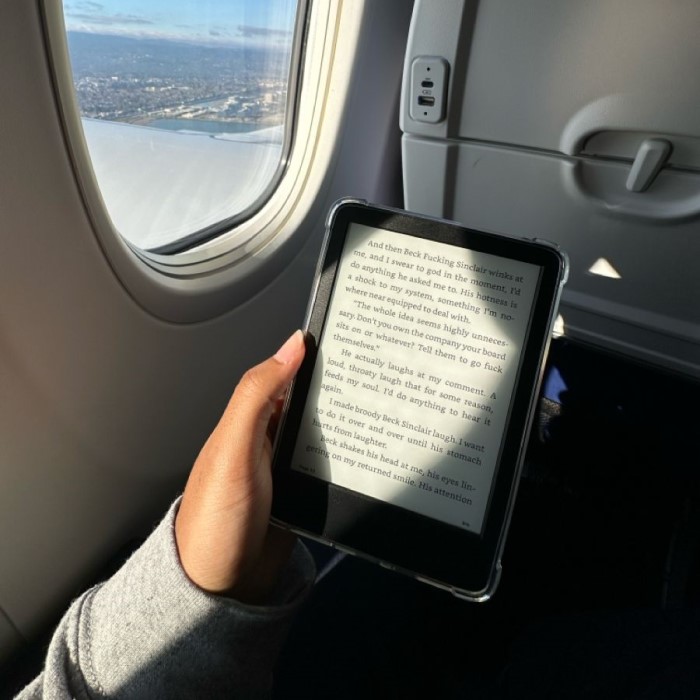
Introduction to the Nook E-Reader
The nook e reader, developed by Barnes & Noble, is a popular device among reading enthusiasts. Known for its functionality and affordability, it has gained a loyal user base. Let’s explore its history and the range of e-readers Barnes & Noble offers.

A brief history of the Nook E-Reader
The first Nook e-reader was launched in 2009 by Barnes & Noble. It was designed to compete with Amazon’s Kindle. The original device featured a unique combination of an electronic ink display and a small color touchscreen for navigation. Over the years, the Nook series evolved with new models offering better screens, improved software, and additional features. These advancements aimed to enhance the reading experience and attract more users.
Barnes & Noble developed the Nook to cater to a growing market of digital readers. They wanted an e-reader that combined innovation, affordability, and simplicity. Today, the Nook e-reader is recognized for its wide range of models tailored to various needs.
Overview of Barnes & Noble’s e-reader offerings
Barnes & Noble offers an array of Nook e-reader models, each tailored to different preferences. These models include devices with E Ink displays for comfortable reading and full-color tablets for versatile digital use.
The Nook GlowLight series focuses on avid readers. It features high-resolution screens, adjustable ambient lighting, and long-lasting battery life, making it perfect for reading in various lighting conditions. Meanwhile, their more advanced models, like the Nook Tablet, combine reading functionality with multimedia features such as video streaming and apps.
With its diverse lineup, Barnes & Noble ensures there’s a Nook for every type of reader. Whether you need a dedicated e-reader or a multifunctional device, the Nook offers value and quality.

Key Features of the Nook E-Reader
Screen quality and display technology
The Nook e-reader features screens designed for a superior reading experience. Most models include E Ink display technology which mimics the look of printed paper. This reduces eye strain and allows comfortable reading for extended periods. High-resolution screens ensure sharp text and images. Adjustable ambient lighting lets users enjoy books in any lighting condition, whether outdoors or indoors.
Storage capacity and expandability options
Nook e-readers typically offer ample storage space for storing plenty of e-books. Models usually come with built-in storage ranging from 8GB to 32GB. Some Nook devices also provide microSD card support, allowing expandable storage for additional content. Users can store thousands of books, ensuring they never run out of reading material.
Battery life and charging time
Battery life is one of the top features of Nook e-readers. Most models can last weeks on a single charge, depending on usage patterns. Barnes & Noble designed these devices with energy efficiency in mind. Charging times are relatively short, and the long-lasting battery ensures uninterrupted reading sessions.
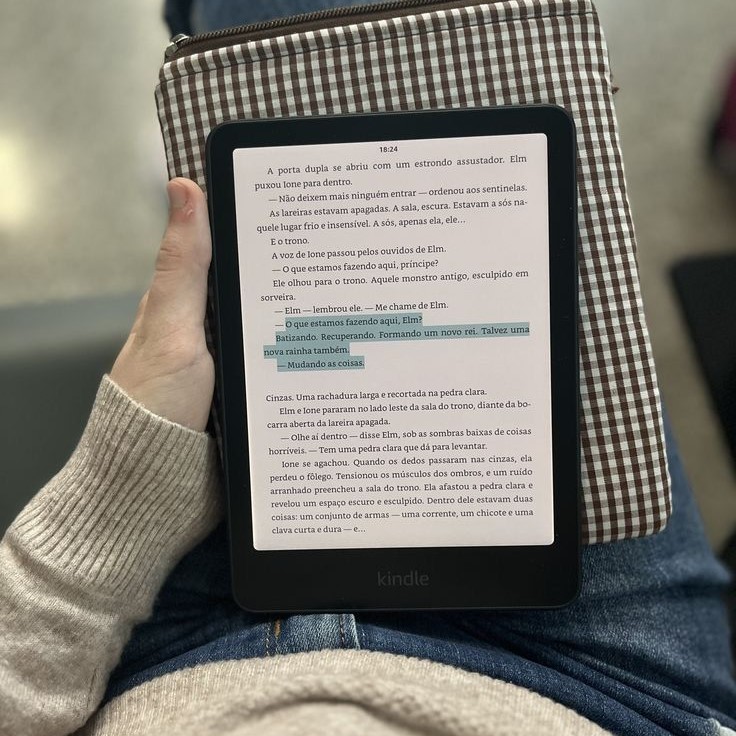
Connectivity options: Wi-Fi and cellular
Nook e-readers come equipped with modern connectivity options. Wi-Fi support allows users to download books directly from the Nook store. Some models also offer cellular connectivity, providing the flexibility to access content without relying on Wi-Fi networks. These features ensure consistent access to e-books, magazines, and other digital content anytime, anywhere.
Benefits of Using a Nook E-Reader
Portability and lightweight design
The Nook e-reader is designed to be lightweight and easy to carry. Its slim profile makes it simple to fit in bags or even large pockets. This portability allows users to enjoy reading wherever they go. Whether traveling, commuting, or lounging at home, the compact design ensures convenience without added bulk.
Access to a vast library of e-books
One of the biggest benefits of a Nook e-reader is access to thousands of digital books. The Barnes & Noble store features a variety of genres, including fiction, non-fiction, bestsellers, and classics. Users can also enjoy magazines, newspapers, and audiobooks. This extensive library ensures there’s always something new to explore. Downloads are fast, and the convenient search tools make finding new titles effortless.
Affordable pricing compared to other e-readers
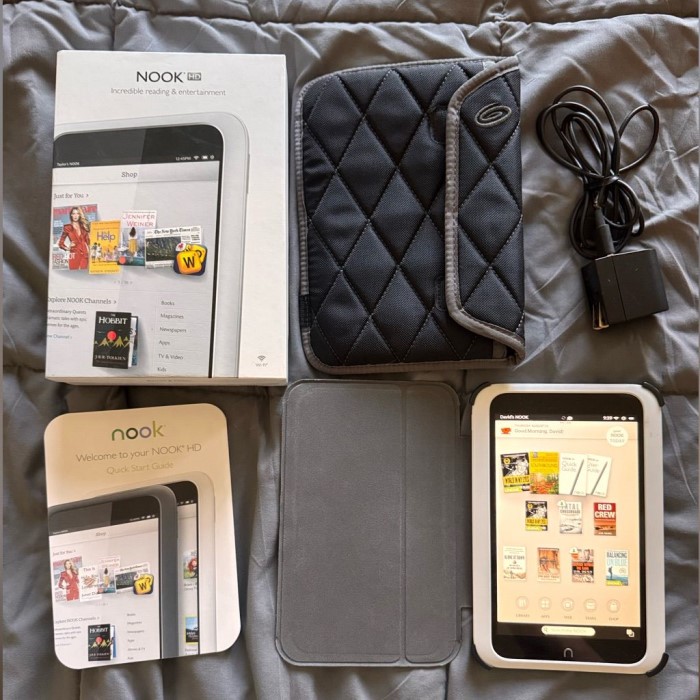
The Nook offers excellent value for its price. Compared to other brands like Kindle or Kobo, it is often a more affordable option. Despite the lower cost, the Nook provides robust features like adjustable lighting, E Ink displays, and expandable storage. Budget-conscious readers can enjoy high-quality devices without overspending.
Customizable reading experience (fonts, settings, etc.)
The Nook e-reader lets users personalize their reading experience for maximum enjoyment. Readers can adjust font styles, text sizes, and page layouts to suit their preferences. Brightness and lighting settings can be customized for different environments. These options make the device versatile for individual needs, ensuring every user can create their ideal reading setup.
Nook E-Reader Models Comparison
Understanding the available nook e reader models helps users find the one that best suits their needs. Barnes & Noble offers different models tailored to various reading and multimedia preferences. Let’s explore the popular models, weigh their pros and cons, and learn how to choose the right one.
Overview of popular Nook models
- Nook GlowLight 4: Designed for avid readers, it features high-resolution E Ink display technology. Adjustable ambient lighting ensures comfortable reading in any environment. The compact design makes it portable and lightweight.
- Nook GlowLight 4 Plus: A larger version of the GlowLight 4, this model offers enhanced screen size. It’s ideal for readers who prefer bigger screens for a more immersive reading. It also has upgraded storage capacity for more e-books.
- Nook Tablet 10″ HD: This model combines reading with multimedia features. It offers a full-color touchscreen and supports apps, video streaming, and browsing. It’s perfect for users seeking a multifunctional device.
- Nook Tablet 7″: Affordable and versatile, this smaller tablet caters to users with basic multimedia needs. It provides a good balance between price and functionality for casual readers.
Pros and cons of each model
- Nook GlowLight 4
- Pros: Lightweight, long battery life, adjustable lighting, and sharp E Ink display.
- Cons: Limited multimedia features, smaller screen.
- Nook GlowLight 4 Plus
- Pros: Larger screen, improved storage capacity, durable build.
- Cons: Heavier than GlowLight 4, higher price.
- Nook Tablet 10″ HD
- Pros: Versatile multimedia capabilities, ideal for apps and video streaming.
- Cons: Shorter battery life, heavier and bulkier.
- Nook Tablet 7″
- Pros: Affordable, portable, suitable for light multimedia use.
- Cons: Lower resolution screen, less storage.
Choosing the right Nook for your needs
Selecting the best Nook model depends on your personal preferences and requirements:
- For dedicated readers: Choose the Nook GlowLight 4 or GlowLight 4 Plus. They offer top-notch reading features.
- For multimedia enthusiasts: Opt for the Nook Tablet 10″ HD for advanced functionality and a vivid screen.
- For budget-conscious users: The Nook Tablet 7″ provides basic multimedia and reading features at an affordable price.
Carefully consider screen size, storage, battery life, and price to make the right choice. Whatever your needs, Barnes & Noble’s Nook lineup ensures a satisfying reading and digital experience.
Nook E-Reader App and Ecosystem
Exploring the Nook app for mobile devices
Barnes & Noble offers the Nook app for both iOS and Android devices. It allows users to access their e-book collection on smartphones and tablets. The app syncs seamlessly with Nook e-readers, ensuring continuity. You can start reading on one device and pick up right where you left off on another. This cross-device functionality makes it highly convenient for readers on the go.
The app also supports a clean and user-friendly interface. Readers can customize font size, styles, and background color. This creates a personalized reading experience. Additionally, the app offers features like highlighting, note-taking, and bookmarking to make reading interactive. Users can also manage their digital library and purchase new books directly from the app.
Access to magazines, newspapers, and audiobooks
The Nook platform provides access to more than just e-books. Users can enjoy a wide selection of magazines and newspapers. Topics range from entertainment and lifestyle to news and business. With subscriptions, new editions are delivered directly to your device.
Nook also supports audiobooks for hands-free listening. This is perfect for multitasking during commutes or chores. The vast audiobook library includes fiction, biographies, and self-help titles. Readers can conveniently explore multiple content formats within the Nook ecosystem.
How the Nook integrates with other devices
Nook e-readers are designed for seamless integration. You can link your Nook account with other devices via the Nook app. This accessibility makes it easy to switch between devices without losing your place in a book.
The Nook ecosystem supports syncing your purchased e-books and reading progress. This ensures all your devices are up-to-date. Additionally, some Nook models include Bluetooth capabilities. This enables users to pair wireless headphones for audio content.
With these integration features, Nook enhances user convenience. It not only supports a diverse range of content but ensures flexibility across platforms.
Tips for Getting the Most Out of Your Nook E-Reader
The Nook e-reader offers various features and benefits that enhance your digital reading experience. Using it effectively ensures longevity and optimal performance. Let’s explore key tips to keep your Nook in excellent condition.
Troubleshooting common issues
Sometimes, Nook devices may face minor problems. Here’s how to resolve them:
- Frozen Screen or Slow Response: Restart your device. Hold the power button for 20 seconds to reset it.
- Failed Wi-Fi Connection: Check your Wi-Fi settings and ensure you’re using the correct password.
- Books Not Downloading: Confirm your internet connection and check storage capacity. Try re-downloading the book.
- Battery Not Charging: Ensure the charging cable is properly connected. Use a compatible charger for safety.
For persistent issues, contact Barnes & Noble support for professional assistance.
Best practices for maintaining your device
Proper care ensures your nook e reader stays functional for years. Follow these maintenance tips:
- Keep it Clean: Wipe the screen using a soft microfiber cloth. Avoid harsh chemicals that damage coatings.
- Protect Your Device: Use a sturdy case to shield from scratches or accidental drops.
- Avoid Overcharging: Disconnect the charger once the battery is full to prevent battery wear.
- Regular Software Updates: Update your Nook to access new features and improve security.
- Store in a Safe Spot: Keep it away from water, excessive heat, or dust when not in use.
Finding deals and free e-books on the Nook store
One of the best features of a Nook e-reader is access to affordable content. Here’s how to find great deals and free books:
- Check the “Daily Deals” section: Barnes & Noble frequently offers discounts on popular titles.
- Explore Free Books: Browse the free e-books section in genres like fiction, classics, and more.
- Sign Up for Promotions: Join Barnes & Noble’s mailing list for exclusive offers and notifications.
- Use the Nook Rewards Program: Earn points as you purchase, which can be redeemed for future discounts.
- Look Out for Seasonal Sales: Events like back-to-school promotions or holiday sales feature major price reductions.
By following these tips, you can enjoy the full potential of your Nook e-reader and make the most of its digital ecosystem.
Alternatives to the Nook E-Reader
When considering e-readers, it’s essential to explore alternatives to make the best decision. Popular competitors to the Nook include Amazon Kindle and Kobo devices, each offering unique features. Let’s compare these brands to understand their strengths and differences.
Comparison with Kindle and Kobo
- Amazon Kindle:
- Screen Technology: Like the Nook, Kindle devices use E Ink displays for a paper-like reading experience.
- Library: Kindle provides vast access to e-books via the Amazon store, including exclusives.
- Pricing: Kindle devices range from budget-friendly models to high-end premium versions.
- Battery Life: Kindle’s e-readers are renowned for impressive battery performance, often lasting weeks.
- Unique Features: Kindle offers features like X-Ray for book summaries and WhisperSync for syncing across devices.
- Kobo Devices:
- Screen Quality: Kobo e-readers use high-resolution E Ink technology for clear text and images.
- File Support: Kobo supports multiple formats, including EPUB and PDF, unlike Kindle’s proprietary formats.
- Library Access: Kobo partners with OverDrive, making it easy to borrow e-books from libraries.
- Customizations: Extensive options for fonts and page layouts allow more personalization.
- Price Range: Kobo devices vary in cost, offering simple models and premium waterproof versions.
Unique features of Nook versus its competitors
- Wide Range of Devices: The Nook series offers e-readers and versatile tablets, unlike Kindle or Kobo.
- Expandable Storage: Nook allows storage expansion via microSD, providing flexibility for more content.
- Affordable Pricing: Nook is often priced lower than Kindle or Kobo, making it budget-friendly.
- Ambient Lighting: Adjustable GlowLight technology in Nook ensures comfort in various lighting conditions.
- Nook App Ecosystem: The Nook app provides cross-device functionality, enabling seamless library access anywhere.
- Retail Presence: Barnes & Noble stores provide hands-on experience, personalized support, and in-store access.
Choosing between Nook, Kindle, and Kobo depends on your priorities. If affordability and multimedia features matter, pick Nook. For borrowing e-books or format versatility, choose Kobo. If access to exclusive e-books and robust syncing appeal to you, pick Kindle.
Final Thoughts on the Nook E-Reader
Who is the Nook E-Reader best suited for?
The Nook e-reader is ideal for readers seeking affordability and diverse options. Dedicated readers benefit from models like GlowLight 4. It provides comfort, portability, and excellent display quality. Budget-conscious users can enjoy basic reading with Nook Tablet 7″. Multimedia enthusiasts might prefer Nook Tablet 10″ HD for apps and entertainment.
The Nook ecosystem ensures access to e-books, magazines, and audiobooks. It’s suitable for users wanting personalized reading experiences. Adjustable fonts, sizes, and lighting cater to individual preferences. Travelers will love its lightweight design for easy portability.
In summary, Nook caters to various needs. Whether for casual reading or multimedia, it offers value and quality.
Future of the Nook in the evolving e-reader market
The nook e reader market continues to grow, driven by digital reading demand. Nook e-readers offer competitive features. Barnes & Noble focuses on affordability, wide content access, and versatile models.
The integration of Nook devices with the Nook app enhances user convenience. Access to multimedia formats and audio books adds to its appeal. If Barnes & Noble adapts to trends, Nook’s market position can remain strong.
With consistent innovations, Nook can hold its place. Future models may include better screens and larger libraries. By addressing user needs and providing affordable tech, Nook can thrive in the evolving market.
 Griley