
Introduction to the World of Digital Styluses
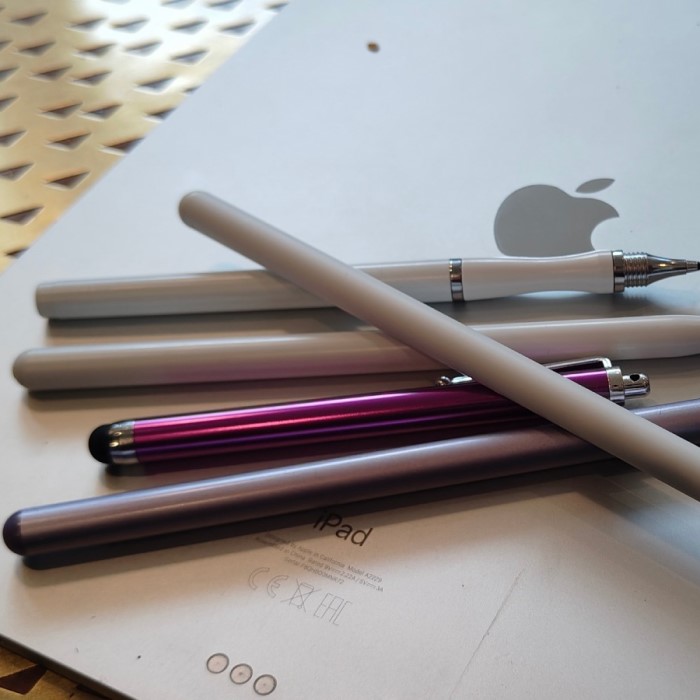
The digital landscape has transformed how we create and work. Tablets have become powerful tools for artists and professionals alike. Consequently, the demand for precise input devices has surged in recent years. While the official Apple stylus is a market leader, it is not the only option. Many users seek apple pencil alternatives for various reasons. Some users find the original price too high for their budget. Others may simply want a device with different features. Therefore, exploring the market for substitutes is a wise decision. The right stylus can significantly improve your workflow. It can also enhance your creative output on an iPad.
There are two main types of styluses available today. Active styluses use electronic components to communicate with the tablet. Passive styluses act like a standard finger touch. Understanding this difference is crucial for making a purchase. Additionally, compatibility varies across different iPad models. You must check if a stylus works with your device. This guide will help you navigate the options. We will compare features, prices, and performance levels. You will learn how to choose the best tool. Ultimately, the perfect stylus depends on your specific needs.
Understanding the Technology Behind Smart Pens
Modern styluses rely on advanced technology to function. It is important to understand how these tools work. Most high-end alternatives use active technology. They emit a specific signal that the iPad recognizes. Consequently, the screen can distinguish the pen from your hand. This feature is known as palm rejection technology. It allows you to rest your hand on the screen comfortably. Without this feature, drawing or writing becomes difficult. You would constantly make accidental marks with your palm. Furthermore, active pens often support tilt sensitivity. This feature detects the angle of the pen. It is essential for shading in digital artwork.
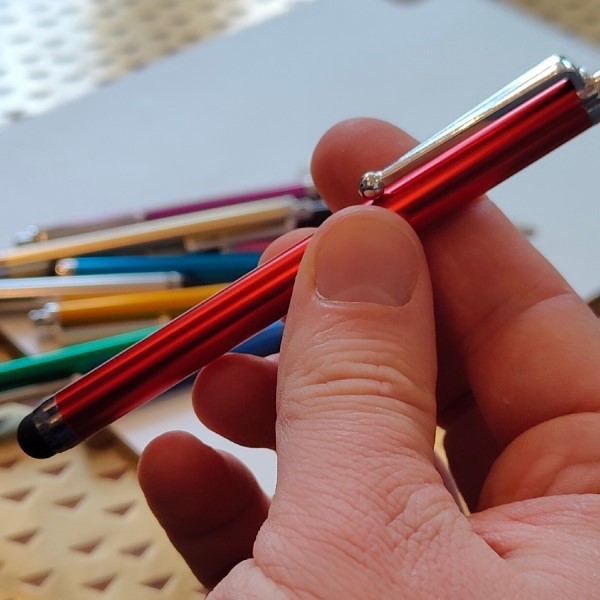
Therefore, artists should prioritize active styluses. On the other hand, passive styluses are much simpler. They act as a conductive substitute for your finger. They do not have batteries or internal chips. Consequently, they are very affordable and lightweight. However, they lack pressure sensitivity and palm rejection. They are best suited for simple tasks like tapping or note-taking. You cannot create detailed art with a passive pen. Understanding these limitations helps set realistic expectations. You get what you pay for in the stylus market. Thus, identifying your primary use case is the first step. Are you a professional artist or a casual note-taker? The answer dictates the technology you require.
Why Consider a Third-Party Stylus?
There are several compelling reasons to look beyond the official brand. The most obvious reason is the price difference. The official model is a premium product with a premium price tag. Not everyone can justify that expense for casual use. Therefore, apple pencil alternatives offer a practical solution. They provide excellent functionality at a fraction of the cost. For students on a budget, this is a major factor. You can find a capable stylus for under fifty dollars. Additionally, some users prefer the design of third-party options. The official pen is known for its slippery, glossy finish. Some alternatives feature matte textures for better grip.
This provides a more paper-like drawing experience. Furthermore, charging methods can vary between models. Some alternatives use standard USB-C cables. Others come with convenient magnetic charging strips. You might find these features more convenient for your workflow. Durability is another concern for many users. The official pen has a fragile charging tip. Replacements are expensive and difficult to find. In contrast, third-party brands often include extra tips in the box. This adds value to your purchase. Consequently, you save money on maintenance over time. The market for alternatives has matured significantly. You no longer need to sacrifice quality for a lower price.
Top Features to Look for in a Digital Pen
When shopping for a stylus, you should check specific features. These features determine the quality of your user experience. First, look for pressure sensitivity levels. This specification measures how well the pen detects force. Higher levels allow for more nuanced line variation. Therefore, artists should seek out 4096 levels of pressure sensitivity. This is the industry standard for professional drawing. Second, consider the latency of the device. Latency refers to the lag between movement and the line appearing. A lower latency means a smoother drawing experience. You want the digital ink to flow instantly. Third, check the battery life and charging time. A good stylus should last for several hours of continuous use. Some models offer fast charging capabilities. A fifteen-minute charge can provide hours of work time.
Moreover, consider the physical design of the pen. It should feel balanced and comfortable in your hand. The weight distribution affects your control. Some pens are thicker, while others are slim. Choose a size that fits your grip style. Finally, investigate the warranty and customer support. Reputable brands stand behind their products. They offer help if you encounter technical issues. Do not overlook the importance of reliable support. A good warranty protects your investment.
Best Budget-Friendly Options for Students
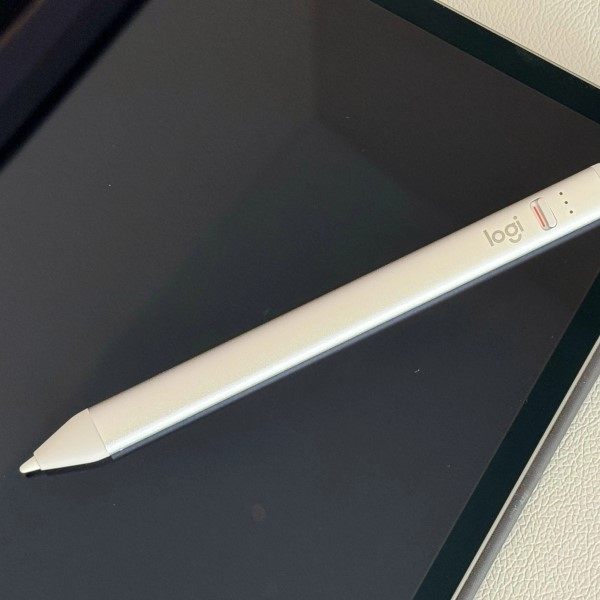
Students often need affordable tools for note-taking. They require reliability without a high cost. Fortunately, the market has many budget-friendly apple pencil alternatives. These models focus on essential functionality. They may lack advanced pressure sensitivity. However, they excel at basic writing and navigation. For instance, many generic active styluses exist on Amazon. They support palm rejection and tilt functions. These are perfect for annotating PDF files. They also work well for taking lecture notes. Some popular budget brands include Logitech and Adonit. Logitech offers the Crayon model. It is a robust tool designed for education.
It features a flat design to prevent rolling. This is a small but useful detail for students. Adonit offers a range of affordable styluses. Their Neo models are particularly popular. They provide a good balance of price and performance. Furthermore, many budget options come with magnetic caps. These caps protect the charging port. They also prevent the loss of small parts. When choosing a budget stylus, read reviews carefully. Some cheaper models may have connectivity issues. Look for products with consistent positive feedback. You can find a great student stylus for under thirty dollars. It will handle all your academic tasks efficiently.
Professional Choices for Artists and Designers
Professional artists have different requirements than students. They need tools that mimic real-life drawing instruments. Therefore, they must invest in higher-end alternatives. The precision of the stylus is paramount for art. A professional apple pencil alternatives must offer perfect pressure sensitivity. It should detect the slightest touch. The line weight must change fluidly with pressure. Additionally, tilt functionality is non-negotiable for digital painting. Artists need to shade their work naturally. The stylus must support various angles of inclination. Some premium alternatives even offer customizable buttons.
These buttons allow you to switch tools quickly. You can map them to erase or undo functions. This speeds up the creative process significantly. Furthermore, the material of the nib matters. Some artists prefer a soft tip for friction. This feels more like drawing on paper. Others prefer a hard plastic tip for smoothness. Replaceable nibs allow you to choose your preference. Brands like Wacom and Huion are leaders in this space. They have years of experience in digital art tools. Their styluses often compete directly with the official model. They offer robust build quality and advanced features. A professional stylus is an investment in your craft.
Compatibility and Connectivity Issues Explained
A common frustration for buyers is compatibility. Not every stylus works with every iPad model. The technology inside iPads changes over time. Consequently, older styluses may not work with new iPads. You must research this before buying. Check the product description for a list of supported models. Some styluses use Bluetooth to connect. This allows for advanced features like pressure sensitivity. You often need to pair the device in settings. However, some alternatives do not require pairing. They use a generic protocol to transmit data. These are often plug-and-play devices. They are convenient but may have higher latency.
Furthermore, Apple has introduced new features recently. The “Hover” feature on the newest iPad Pro is an example. It detects the pen before it touches the screen. Only the official Apple Pencil 2 supports this fully. Some alternatives may struggle with these new technologies. Therefore, you must decide if these features are necessary. For most users, basic compatibility is sufficient. Always double-check the return policy. If the stylus does not connect, you should be able to return it. This precaution saves you money and frustration. Technical specifications can be confusing. Do not hesitate to contact the seller for clarification.
Maintenance Tips for Longevity
Proper care extends the life of your stylus. These devices are delicate electronic instruments. You should handle them with care. First, always store your stylus properly. Do not leave it loose in a bag. The pressure on the tip can damage the sensor. Use a protective case or a pen holder. Many alternatives come with a carrying case. If not, you should buy one separately. Second, clean the tip regularly. Dust and oil can accumulate on the surface. This can interfere with the touch response. Use a microfiber cloth to wipe the tip gently. Avoid using water or cleaning solvents. These can damage the internal electronics.
Third, charge the battery correctly. Do not overcharge the device. Disconnect it once it reaches full power. This preserves the battery health over time. Furthermore, replace the tip when it wears down. A worn tip can scratch your screen. Scratches are expensive to repair. Most brands sell replacement tips separately. Keeping a stock of tips ensures you are never stuck. Finally, avoid dropping the pen. The internal sensors are sensitive to shock. A hard drop can knock components out of alignment. Treat your stylus like the precision tool it is. With good maintenance, it will last for years.
Frequently Asked Questions
What can be used instead of an Apple Pencil?
You can use any capacitive stylus or a dedicated active stylus from brands like Logitech, Adonit, or Zspeed. These serve as excellent substitutes for various tasks.
What is a good replacement for an Apple Pencil?
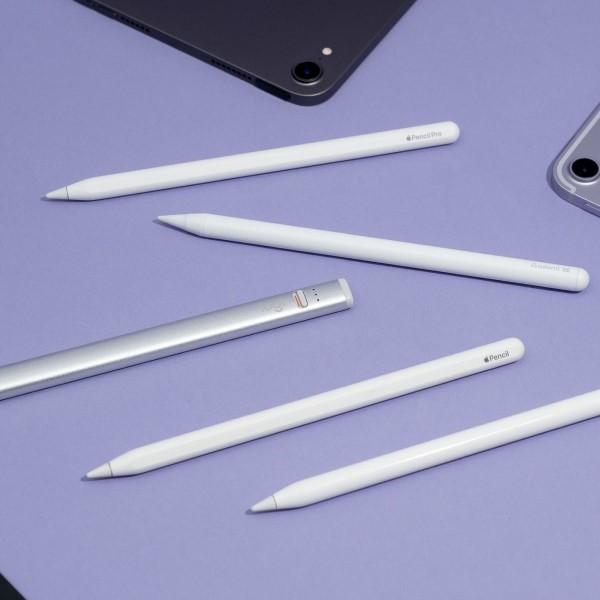
The Logitech Crayon is a top-rated replacement. It offers similar functionality for a lower price. The Adonit Note+ is another fantastic option for artists.
Is it okay to use a non-Apple Pencil on an iPad?
Yes, it is completely safe to use third-party styluses. They are designed to work with the iPad’s capacitive screen. They will not damage your device.
Why is the Apple Pencil so expensive?
The Apple Pencil contains advanced pressure sensors and specialized chips. You are paying for the brand name and the seamless integration with the iPad ecosystem.
Conclusion and Final Recommendations
In summary, the market for apple pencil alternatives is vast and mature. You do not need to buy the official product to enjoy digital creation. There are options for every budget and skill level. Students can find affordable, durable pens for notes. Professionals can find high-precision tools for art. The technology has improved significantly in recent years. Features like palm rejection are now standard. Therefore, third-party styluses offer incredible value.
You can save money without sacrificing performance. Remember to check compatibility before you buy. Maintain your device well for a long lifespan. The right stylus will transform your iPad experience. It unlocks the full potential of your tablet. We hope this guide helps you find the perfect tool. You can now make an informed decision with confidence. Enjoy your enhanced digital workflow today.