
Introduction to the Windows 11 Dilemma
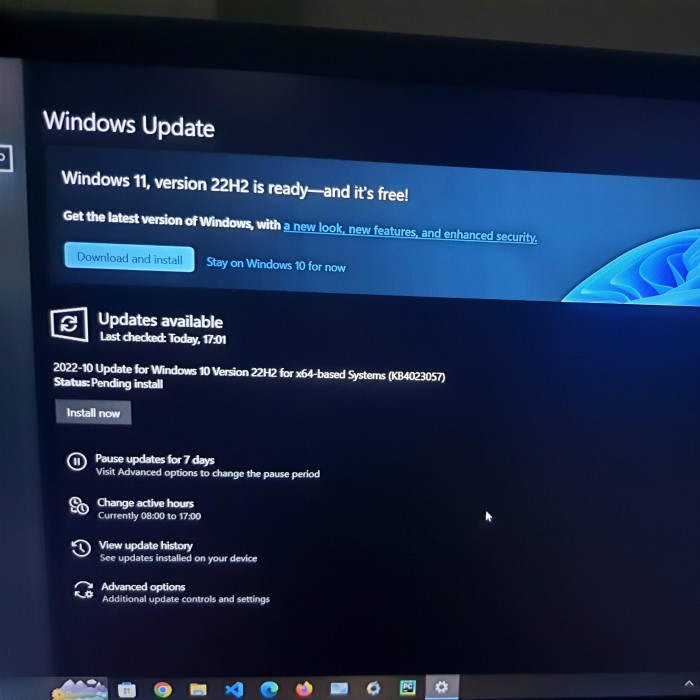
The release of a new operating system always sparks a major debate. Users everywhere find themselves asking the same question. They wonder if the update is worth the potential hassle. Microsoft has introduced Windows 11 as the modern standard for personal computing. It promises a sleeker design and better performance. However, change can be intimidating for many people. You might be perfectly comfortable with your current setup. Consequently, the decision is not always straightforward. You likely want to know if the benefits outweigh the risks. This is why so many people search online to ask: should i upgrade to windows 11?
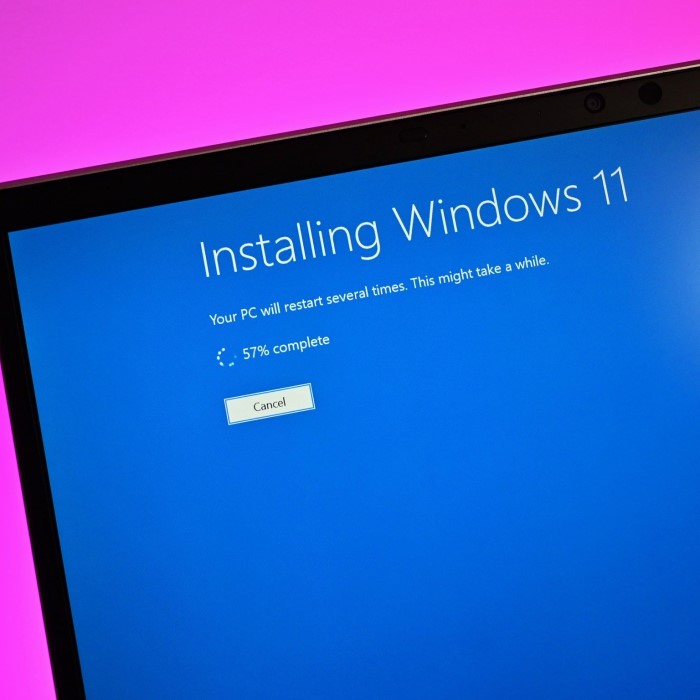
This question is more than just a matter of preference. It involves hardware compatibility, software support, and learning curves. For some, the upgrade is a breath of fresh air. For others, it has been a source of frustration. Therefore, understanding the full picture is crucial before you click that update button. You need to weigh the new features against the potential issues. We have gathered extensive user experiences and technical reviews. Our goal is to provide you with a clear, unbiased perspective.
In this comprehensive guide, we will explore every aspect of the upgrade. We will look at the visual changes and productivity boosts. We will also dive into the strict system requirements. Furthermore, we will examine gaming performance and security enhancements. By the end of this article, you will have a definitive answer. You will know exactly what to expect from Microsoft’s latest operating system. So, let us delve into the details and clear up the confusion.
Understanding the Strict System Requirements
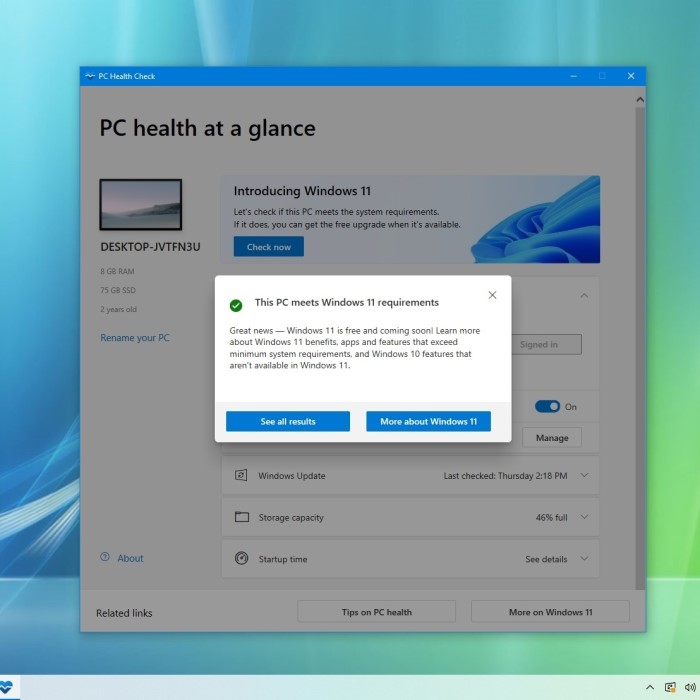
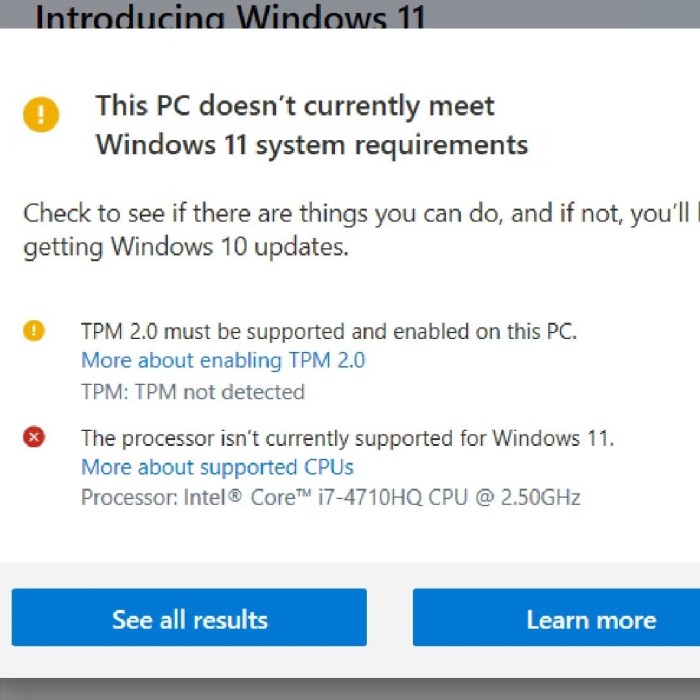
The first hurdle for many users is hardware compatibility. Microsoft has set strict requirements for Windows 11. These requirements are much stricter than previous versions. The most controversial requirement is TPM 2.0. TPM stands for Trusted Platform Module. It is a security chip built into the motherboard. Additionally, your computer needs an 8th generation Intel processor or newer. AMD users need a Ryzen 2000 series chip or newer. Consequently, many perfectly functional older computers are officially excluded.
This has caused significant frustration among users. Many people own powerful machines that run Windows 10 flawlessly. However, they find themselves ineligible for the free upgrade. You can check your PC’s compatibility using the PC Health Check app. This tool provides a clear yes or no answer. If your device fails, the app explains why. Often, the issue is simply enabling TPM in the BIOS. However, sometimes the processor is simply too old.
Therefore, the question of should i upgrade to windows 11 often becomes a question of hardware. If your computer does not meet the specs, the official path is closed. You can use workarounds to install it anyway. But this comes with risks. Microsoft does not guarantee updates for unsupported hardware. Furthermore, you might encounter stability issues. Most users prefer to stick with Windows 10 in this scenario. Windows 10 remains supported until October 2025. This gives you time to save for a new machine.
A Fresh Visual Design and User Interface
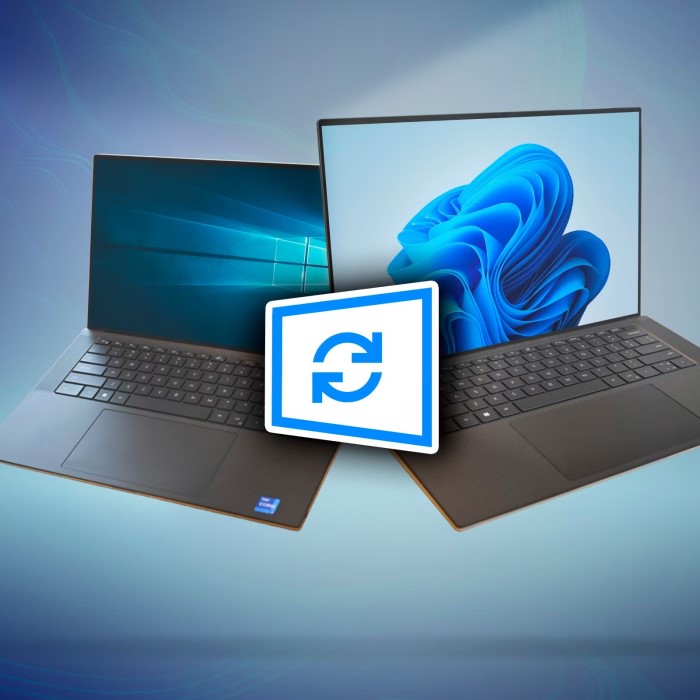
The most noticeable change in Windows 11 is the look. Microsoft has completely overhauled the user interface. The design is cleaner, softer, and more modern. It draws heavy inspiration from the canceled Windows 10X. The most significant change is the Start menu and Taskbar. By default, the taskbar icons are now centered. This is a major departure from the left-aligned tradition. However, you can change this setting back if you prefer the old style.
Furthermore, the Start menu itself is different. It no longer features live tiles. Instead, it has a grid of pinned apps and a section for recommended files. This layout looks more like a smartphone interface. Consequently, it feels intuitive for many new users. The windows also feature rounded corners. This subtle change makes the desktop feel less harsh. Additionally, the new Mica material adds a translucent effect to title bars. This creates a sense of depth and hierarchy.
Transitions and animations are also much smoother. Opening and closing windows feels more fluid. This adds to the premium feel of the operating system. However, some users find the new taskbar functionality limiting. You can no longer move the taskbar to the sides or top of the screen. It is stuck at the bottom. This restriction has annoyed many power users. Therefore, customization is somewhat reduced in this version.
Despite these minor complaints, the overall reception is positive. The new aesthetic is a breath of fresh air. It makes the computing experience feel less utilitarian. If you value a modern, sleek look, the visual upgrade alone is a strong selling point. It makes the system feel fresh and new. Consequently, for many, the design changes are a major reason to switch.
Productivity Enhancements and Snap Layouts
Microsoft has focused heavily on productivity with Windows 11. The standout feature here is Snap Layouts. This feature revolutionizes window management. You simply hover over the maximize button on any window. A grid of layout options appears. You can choose a configuration that suits your screen size. Then, you click the windows you want to fill the slots. This makes organizing your workspace incredibly fast.
Furthermore, Windows 11 remembers these layouts. If you plug in a monitor, the system asks if you want to restore your previous layout. You click yes, and all your windows snap back into place. This is a lifesaver for people who work with multiple monitors. It saves you from manually resizing windows every time you reconnect. Consequently, workflow efficiency improves significantly. For professionals, this feature alone might answer the question: should i upgrade to windows 11?
Additionally, the operating system supports virtual desktops better. You can now set different wallpapers for each desktop. This helps you visually distinguish between work, gaming, and personal spaces. The taskbar also shows only the apps open on that specific desktop. This reduces clutter and confusion. Switching between desktops is seamless and fast.
Moreover, Microsoft has integrated Microsoft Teams directly into the taskbar. This makes it easier to start a chat or video call. The “Chat” icon is always visible. While this is great for Teams users, it can be annoying for those who prefer Zoom or Slack. Fortunately, you can remove the icon if you do not use it. These small quality-of-life improvements add up. They make the daily computing experience smoother and more organized. Therefore, productivity seekers have a lot to gain here.
Gaming Performance and Technologies
Gamers are a massive demographic for Windows. Microsoft has tailored Windows 11 specifically for gaming. It includes several technologies borrowed from the Xbox consoles. The most notable is Auto HDR. This feature automatically adds High Dynamic Range to games that did not originally support it. It makes older games look significantly better. Colors are more vibrant, and contrast is improved. You do not need to configure anything. It just works in the background.
Furthermore, Windows 11 introduces DirectStorage. This technology allows the GPU to load assets directly from the SSD. It bypasses the CPU, which usually bottlenecks the process. This results in drastically reduced load times. However, you need a fast NVMe SSD and a compatible graphics card to benefit. If you have the hardware, the performance gains are impressive. Consequently, the gaming experience is much smoother.
The operating system also features a dedicated Game Mode. This mode prioritizes games over background processes. It ensures stable frame rates and reduced latency. Additionally, the Xbox Game Bar provides an overlay for capturing screenshots and monitoring performance. It is a comprehensive suite for gamers. Therefore, if you are a gamer asking should i upgrade to windows 11, the answer is likely yes.
However, some early adopters reported issues with VBS (Virtualization-Based Security). This security feature can sometimes reduce gaming performance. It impacts the frame rate in certain titles. You can disable this feature if you prioritize raw speed over maximum security. Microsoft has worked to optimize this. Most users now report excellent gaming performance. The consensus is that Windows 11 is a superior platform for gaming, provided your hardware is up to par.
Security Improvements and Safety Features
Security was the driving force behind the strict requirements. Microsoft wants to make Windows a more secure platform. The requirement for TPM 2.0 is central to this goal. This chip provides hardware-based security functions. It protects encryption keys and prevents firmware attacks. Consequently, Windows 11 is much harder to hack than its predecessors. This is a major benefit for businesses and privacy-conscious users.
Additionally, the OS features “Secured-Core” PC capabilities. This combines hardware, firmware, and software security. It creates a layered defense against modern threats. Features like Windows Hello for Business are also enhanced. The passwordless login experience is seamless and secure. You can use facial recognition or a fingerprint to log in. This is much safer than typing a password.
Furthermore, Microsoft Defender Antivirus is built-in. It provides robust protection against malware and viruses. The new security dashboard is user-friendly. It gives you a clear overview of your protection status. You can see if your firewall is active and if your updates are current. Consequently, managing your digital safety is easier than ever.
For many, the security argument is compelling. Cyber threats are constantly evolving. Using an outdated or less secure OS is a risk. Therefore, upgrading to Windows 11 provides peace of mind. It ensures you have the latest defensive technologies. While Windows 10 is still secure, Windows 11 sets a new standard. It prepares your device for the future of cybersecurity.
Potential Bugs and User Feedback
No new operating system is perfect. Windows 11 has had its share of bugs since launch. Early users reported issues with File Explorer. It sometimes ran slowly or crashed. The memory leak issue was also a concern. These problems have been largely addressed through updates. However, some minor glitches persist. Therefore, stability is a valid concern for potential upgraders.
Moreover, the user interface changes have received mixed feedback. The new right-click context menu is a point of contention. It hides common options behind a second click. This adds an extra step to simple tasks. Power users find this annoying. They often install registry hacks to restore the old menu. Additionally, the taskbar limitations are frustrating for many. The inability to drag and drop files onto taskbar icons was a major complaint. Microsoft has since fixed the drag-and-drop issue. But the taskbar remains less customizable than before.
Another common complaint involves the Start menu. The “Recommended” section takes up a lot of space. You cannot easily remove it. This forces a layout that not everyone wants. Furthermore, the integration of ads and suggested apps in the menu has irked some users. They feel it clutters the experience. These are not deal-breakers for most. But they are annoyances that you should be aware of.
Consequently, user feedback is vital. Most reviews suggest waiting for the “kinks” to be ironed out. However, we are now past the initial launch phase. The operating system is much more stable today. Most users find it reliable for daily use. If you are a cautious user, checking recent forum threads is a good idea. You can see if others with your specific hardware are having issues. This research helps you avoid potential headaches.
The Timeline for Windows 10 Support
Time is a crucial factor in this decision. Microsoft has announced the end of life for Windows 10. Official support ends on October 14, 2025. After this date, Windows 10 will no longer receive security updates. This means your computer will become vulnerable to new threats. Furthermore, software developers will eventually stop supporting it. New apps and games may require Windows 11 to run.
Therefore, you cannot stay on Windows 10 forever. Eventually, you will have to upgrade. The question is not if, but when. If your current PC is incompatible, you have time. You can wait until 2025 to buy a new computer. However, if your PC is compatible, there is little reason to wait. Delaying the upgrade just puts you closer to the deadline. You might as well enjoy the new features now.
Moreover, moving to Windows 11 allows you to get used to the changes gradually. You do not want to be forced to switch suddenly in a few years. By then, the learning curve might feel more stressful. Transitioning now gives you ample time to adapt. You can customize the OS to your liking. You can learn the new shortcuts and features.
Consequently, the timeline makes the decision clearer. If you plan to keep your current PC for a long time, upgrading is the logical step. It extends the useful life of your machine. If you plan to build a new PC soon, you will get Windows 11 by default. Understanding this timeline helps you plan your tech future. It removes the uncertainty surrounding the upgrade decision.
Conclusion
The decision to upgrade is personal. It depends on your hardware, your needs, and your patience. Windows 11 is not a revolutionary change. It is an evolution of Windows 10. It offers a beautiful design, better security, and improved gaming features. The productivity tools like Snap Layouts are genuinely useful. However, the strict hardware requirements lock out many older devices. Furthermore, the reduced taskbar customization is a step backward for some.
For users with compatible hardware, the upgrade is a smart move. It is a free, modern, and secure operating system. The initial bugs have largely been squashed. Therefore, the experience is stable and polished. For gamers, the new technologies offer tangible benefits. For workers, the productivity features streamline the day. You are likely asking should i upgrade to windows 11 because you want a better experience. In most cases, Windows 11 delivers exactly that. It is the future of Windows. Embracing it now ensures you are ready for what comes next.