
Introduction: Why You Need the Best Mobile Gaming Controller
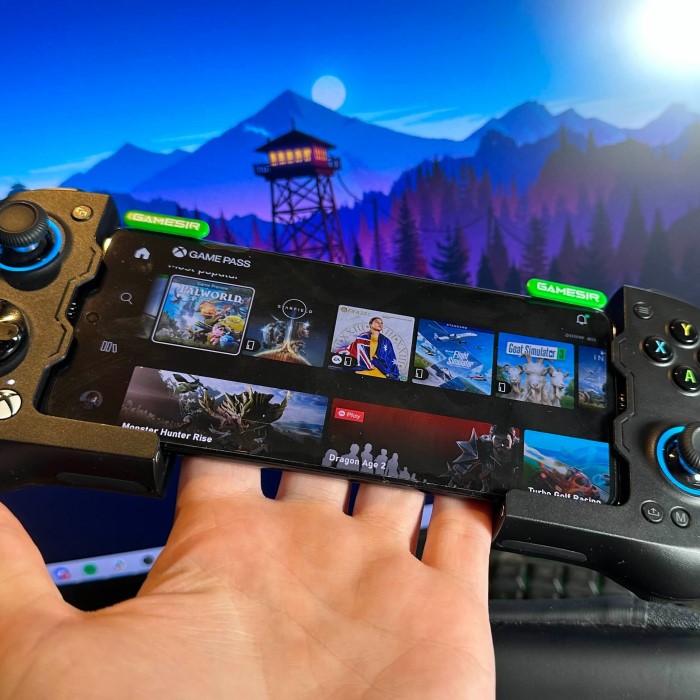
In the world of mobile gaming, choosing the best mobile gaming controller can significantly enhance your gaming experience. With the rapid advancements in mobile technology, mobile gaming has evolved dramatically, offering immersive experiences once reserved for consoles and PCs. However, traditional touchscreen controls can often feel limiting. That’s where the right gaming controller comes in. This article will guide you through some of the leading options for 2025, their features, and how to make an informed choice tailored to your gaming preferences.
Why You Need a Mobile Gaming Controller
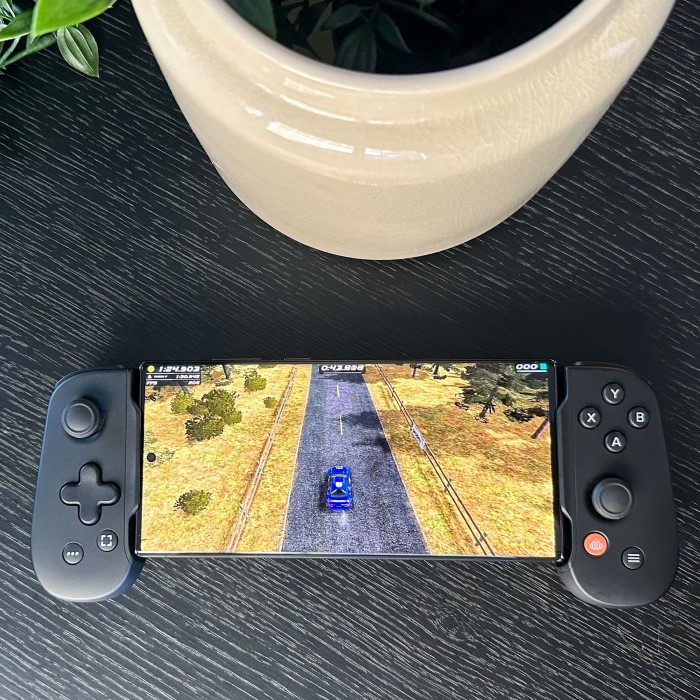
A mobile gaming controller enhances your experience and gives you better control. Unlike touchscreen controls, controllers offer accuracy, responsiveness, and comfort. Let’s explore why investing in one can completely transform your gaming sessions.
Advantages of Controllers Over Touchscreen Controls
- Precision and Accuracy: Controllers provide better precision than touchscreen controls. Thumbsticks, buttons, and triggers allow exact movements.
- Comfort for Long Sessions: Using a controller reduces hand strain during long gaming hours. It offers an ergonomic grip.
- No Screen Obstruction: Your fingers won’t block the screen during gameplay, offering an unobstructed view.
- Faster Reactions: Physical buttons and triggers ensure instant responses in fast-paced games.
- Reduced Input Lag: Controllers often feature lower input latency than touchscreen controls for smoother gameplay.
Enhanced Gaming Experience and Performance
- Immersive Gameplay: Controllers often come with rumble feedback and adaptive triggers, enhancing the feel of the game.
- Improved Control in Competitive Games: In FPS or racing games, better aim and steering boost performance.
- Customizable Options: Many controllers allow button remapping and sensitivity adjustments to fit your play style.
- Consistent Responses: Unlike touchscreens, controllers ensure reliable controls, even during intense moments.
- Optimized for Gaming Genres: They are perfect for complex game genres that require multiple inputs, like MOBAs or RPGs.
Investing in the best mobile gaming controller gives you the edge to perform at your best. It ensures comfort, precision, and a more enjoyable experience.
Features to Look for in a Mobile Gaming Controller
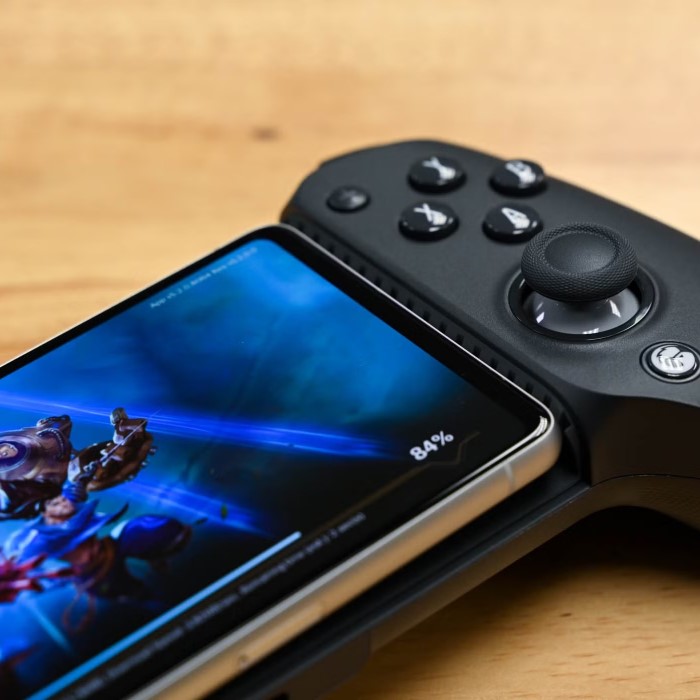
Choosing the best mobile gaming controller requires careful consideration of its features. These features impact performance, comfort, and overall experience. Here’s what to focus on:
Compatibility with Different Devices
A good controller should work with multiple devices. Ensure it supports popular platforms like Android, iOS, tablets, and PCs. Look for options with cross-platform compatibility to avoid restrictions. This feature allows seamless gameplay across all your devices.
Ergonomic Design and Comfort
Comfort is crucial during long gaming sessions. Choose a controller with an ergonomic design to reduce hand strain. Look for materials like anti-slip grips or lightweight designs. These features help avoid discomfort, ensuring extended playtime without soreness.
Customizable Controls and Button Layout
Customizable controls elevate your gaming experience. Controllers with remappable buttons allow you to assign functions based on preference. Also, adjustable thumbsticks and sensitivity settings let you personalize gameplay to suit your style. This flexibility enhances performance in different game genres.
Battery Life and Connectivity Options
Battery life determines how long you can play without interruptions. Opt for controllers with long-lasting batteries, preferably 10+ hours. Check for multiple connectivity options, like Bluetooth or USB-C, for a stable connection. Low-latency connections improve responsiveness, essential for competitive games.
Focusing on these features will help you find the best mobile gaming controller. Prioritize compatibility, comfort, customization, and reliable connections for seamless and enjoyable gameplay.
Top Mobile Gaming Controllers in 2023
Selecting the best mobile gaming controller in 2023 requires knowing your needs and budget. Whether you’re seeking affordability, high performance, or versatility for multi-platform gaming, these options cater to everyone.
Best Budget-Friendly Options
Affordable controllers are ideal for casual gamers who want basic features without spending much. Look for options under $50 that deliver solid performance and compatibility. Features like decent battery life, responsive buttons, and Bluetooth connectivity should be included.
Some budget choices may lack advanced customization but still provide solid value. Popular budget-friendly models often work with Android, iOS, and PCs. They are suitable for most genres like FPS, platformers, and racing games.
High-End Controllers for Serious Gamers
High-end controllers are perfect for competitive or serious gamers seeking top-notch features. These controllers typically cost over $100 and offer superior build quality, ergonomic designs, and advanced options.
Features to expect include adjustable thumbsticks, remappable buttons, and adaptive triggers. They often support long battery life, low-latency connections, and rumble feedback for immersive gameplay. High-end models excel in demanding gaming genres, such as MOBAs and RPGs, offering unparalleled precision.
Versatile Controllers for Multi-Platform Use
Versatile controllers cater to gamers who play across multiple devices. Look for models with cross-platform compatibility, eliminating the need for multiple controllers. These controllers often support Android, iOS, tablets, and PCs, ensuring seamless gameplay.
Additionally, they should have connectivity options like Bluetooth, USB-C, and dongles. Multi-platform controllers balance affordability, functionality, and compatibility. They are ideal for gamers who switch between casual and competitive play.
Explore these top mobile gaming controllers to enhance your experience and performance. Prioritize the features that meet your gaming needs the best.
How to Pair and Set Up Your Mobile Gaming Controller
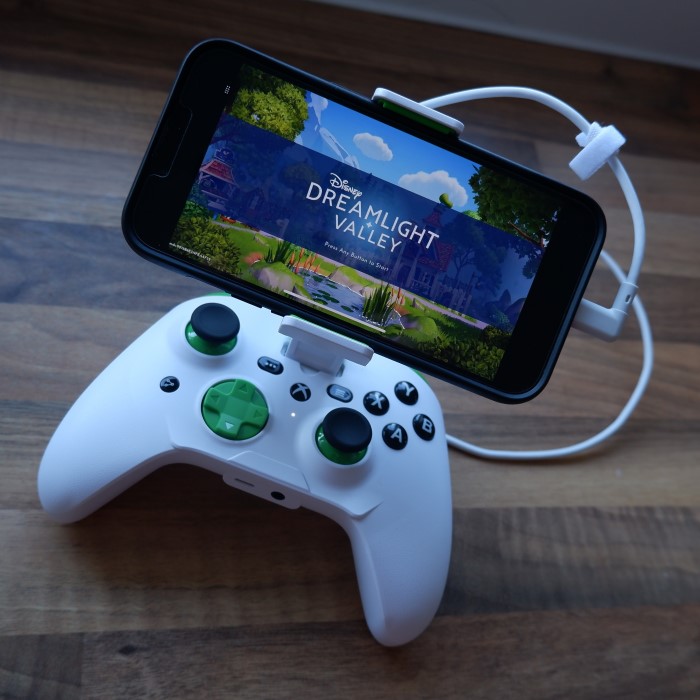
Setting up your mobile gaming controller might seem challenging. However, it’s a straightforward process if done right. Below, you’ll find step-by-step guides for Android and iOS devices, along with troubleshooting tips.
Step-by-Step Pairing Guide for Android Devices
- Turn on the Controller: Switch on your controller and enable pairing mode. Check the manual for specific instructions.
- Enable Bluetooth on Your Android Device: Go to Settings > Bluetooth and turn it on.
- Search for Devices: Your phone will scan for nearby Bluetooth devices. Look for your controller in the list.
- Connect to the Controller: Select your controller’s name from the list and confirm pairing.
- Test the Connection: Open a game and check if the controller works seamlessly.
- Adjust Settings (Optional): Customize button functions in supported games for an ideal experience.
Connecting to iOS Devices
- Activate Your Controller: Power on your controller. Enable pairing mode using the designated button.
- Turn on Bluetooth on iOS: Navigate to Settings > Bluetooth and turn it on.
- Scan for Bluetooth Devices: Wait for your controller to appear in the available devices list.
- Connect the Controller: Tap on your controller’s name to pair. A confirmation may follow.
- Verify in a Game: Test your controller compatibility within a game.
- Adjust Settings (Optional): Some games on iOS let you remap buttons for a better experience.
Troubleshooting Common Setup Issues
- Controller Not Showing Up: Ensure it’s in pairing mode and has enough battery. Restart both devices if needed.
- Connection Drops Frequently: Check Bluetooth range and ensure no interference from other devices.
- Buttons Not Working Correctly: Update the controller’s firmware via the manufacturer’s app or website.
- Game Not Recognizing the Controller: Verify if the game supports external controllers.
- Factory Reset Your Controller: If all else fails, reset your controller to its default state and try again.
Following these steps ensures a smooth setup process. A properly connected controller improves gameplay and enhances enjoyment.
Mobile Controller vs. Traditional Console Controller
Mobile gaming controllers and traditional console controllers both aim to enhance gameplay. However, they differ significantly in features, performance, and usability. Understanding these differences can help you choose the most suitable option for your gaming needs.
Key Differences in Features and Performance
- Device Compatibility: Mobile controllers are designed for smartphones, tablets, and sometimes PCs. They frequently feature Bluetooth connectivity for wireless operation. Traditional console controllers primarily work with gaming consoles such as PlayStation, Xbox, or Nintendo systems. They can sometimes connect to other platforms but may require extra adapters or software.
- Portability: Mobile controllers are compact and lightweight, making them easy to carry. Traditional controllers are bulkier and less practical for travel.
- Customization: Many mobile controllers offer fewer customization features than high-end console controllers. Console controllers often include advanced options like trigger sensitivity, button remapping, and joystick adjustments.
- Performance: Console controllers usually provide smoother performance due to their hardware-specific optimization. Mobile controllers sometimes experience delays or compatibility issues across multiple platforms.
- Battery Life: Mobile controllers are built with portability in mind and often rely on rechargeable batteries with extended life. Console controllers, depending on the brand, might use either rechargeable batteries or disposable ones.
Determining the Best Option for Your Needs
- Gaming Platform: If you primarily play mobile games, a dedicated mobile gaming controller is more practical. If console gaming is your preference, a traditional controller will offer better performance.
- Usage Environment: For gaming on the go, mobile controllers are a better fit due to their portability. For home setups, traditional controllers excel in terms of durability and advanced features.
- Game Compatibility: Some games perform better on specific types of controllers. For example, complex games like RPGs may benefit more from console controllers, while casual mobile games align better with mobile controllers.
- Budget: Mobile controllers are often cheaper and more affordable for casual players. Console controllers are typically more expensive due to their enhanced functionality and build quality.
When choosing between a mobile gaming controller and a traditional console controller, consider what matters most: portability, performance, or price. Each type serves different needs, so prioritize based on your gaming lifestyle.
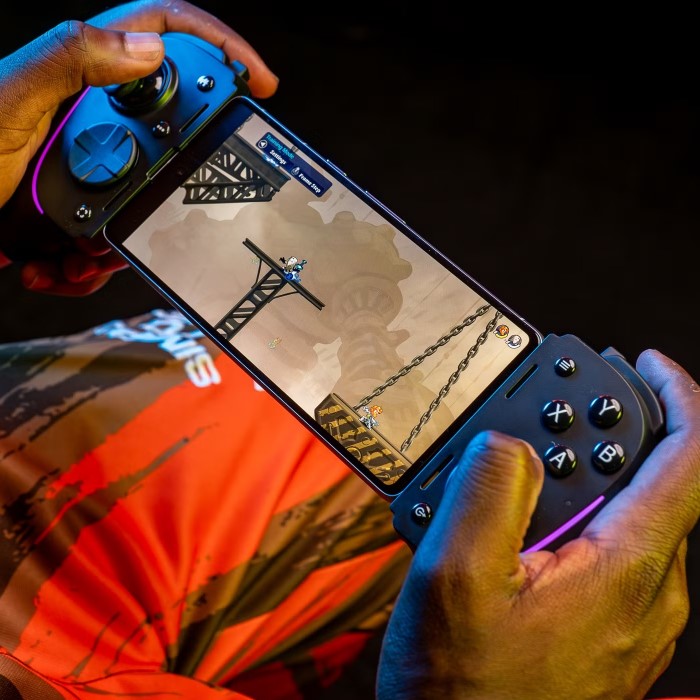
Popular Games That Work Best with Mobile Controllers
Mobile gaming controllers significantly improve gameplay for many popular genres. Certain games shine when played with a controller due to their complexity or precision needs. Here’s a look at some of the best games for controllers.
Top FPS Games for Controllers
First-person shooter (FPS) games demand accuracy, fast reactions, and smooth movements. Mobile gaming controllers excel by providing these capabilities. Popular FPS titles include:
- Call of Duty: MobileThis game offers precise shooting and easier aiming with a controller over touchscreen controls.
- PUBG MobileA controller improves movement, aiming accuracy, and combat efficiency, especially in intense battle scenarios.
- Shadowgun LegendsThe dual-stick control layout of a controller enhances shooting and movement precision.
- FortniteMobile controllers make building structures and aiming smoother compared to touch inputs.
Controllers offer enhanced customization for FPS games. For instance, remapping buttons for shooting, crouching, or reloading can provide a significant competitive edge.
Racing Games That Offer Unique Controller Experiences
Racing games are another genre that thrives with mobile controllers. Accurate steering and responsive buttons boost your control during high-speed gameplay. Ideal racing games include:
- Asphalt 9: LegendsControllers provide better handling of vehicles, making tight turns and drifts far easier.
- Real Racing 3A controller lets you master advanced steering techniques and ensures a smoother driving experience.
- Mario Kart TourPrecise item usage and cornering are simpler with a controller’s analog stick and buttons.
- CarX Drift Racing 2Drift-heavy gameplay is more enjoyable and controlled with a well-configured mobile gaming controller.
Using a controller in racing games often results in faster lap times and greater overall enjoyment. Features like analog triggers for acceleration and braking allow for more nuanced control.
Investing in a mobile gaming controller opens new opportunities for enjoying these games to the fullest. Whether speeding past rivals or landing headshots, a controller ensures you perform at your best.
Maintenance Tips for Longevity
Proper care ensures your mobile gaming controller lasts long and performs well. Regular maintenance prevents wear and improves usability.
Cleaning and Storage Tips
- Clean Regularly: Wipe the controller with a dry or slightly damp cloth weekly. Avoid harsh chemicals.
- Remove Dust: Use compressed air to remove dust from buttons and small crevices. Keep it clean internally.
- Avoid Moisture: Never expose your controller to water or humidity. Moisture can damage internal components.
- Store Properly: Keep your controller in a protective case when not in use. Avoid direct sunlight.
- Organize Cables: If your controller uses wired connections, carefully wrap cables to avoid damage.
Keeping your controller clean and safe ensures optimal performance and extends its lifespan.
Updating Firmware and Handling Connectivity Issues
- Update Firmware Regularly: Check for updates using the manufacturer’s app or website. Install updates for optimal performance.
- Reset Connections: Disconnect and re-pair your controller if connectivity issues arise. Restart both devices if needed.
- Inspect Bluetooth/Wired Options: Ensure Bluetooth is active or wired connections are firm. Replace worn-out cables promptly.
- Test in Different Games: Verify functionality across games to detect compatibility issues. Some games may need adjustments.
- Consult Manuals or Support: If issues persist, use the user manual or contact the manufacturer for guidance.
Maintaining your controller through updated software and proper care maximizes its usability and reliability.
Conclusion: Elevate Your Gaming with the Best Mobile Gaming Controller
In conclusion, selecting the best mobile gaming controller involves more than just picking the first option you see. Understanding features, compatibility, and user experience can lead to a more enjoyable gaming experience. The right controller enhances gameplay, provides comfort, and allows for better control.
As mobile gaming continues to grow, investing in a quality controller can significantly elevate your gaming experience. By considering factors like ergonomics, connectivity, and customer feedback, you’ll find a controller that meets your needs and preferences perfectly. Start exploring your options today and enjoy a new level of gaming in 2025!
 Griley