

Introduction: The Importance of Choosing the Right Motherboard
When building or upgrading a PC, knowing how to choose a motherboard is critically important. The motherboard acts as the backbone of your system, connecting all components and allowing them to communicate. A well-chosen motherboard ensures compatible hardware and optimizes performance. This article aims to guide enthusiasts in selecting the best motherboard for their needs by highlighting key considerations and offering in-depth analysis.

Understanding Motherboard Form Factors
One of the first decisions when choosing a motherboard is understanding the various form factors available. Here are the main ones:
What Are the Common Motherboard Form Factors?
- ATX (Advanced Technology eXtended): This is the most commonly used form factor. It offers multiple expansion slots, good power distribution, and ample connectivity options. ATX motherboards are suitable for gaming and workstation builds, providing versatility.
- MicroATX: A slightly smaller version of ATX, MicroATX boards provide fewer expansion slots but typically cost less. They are excellent for compact builds where space is a concern but still allow for some upgrade potential.
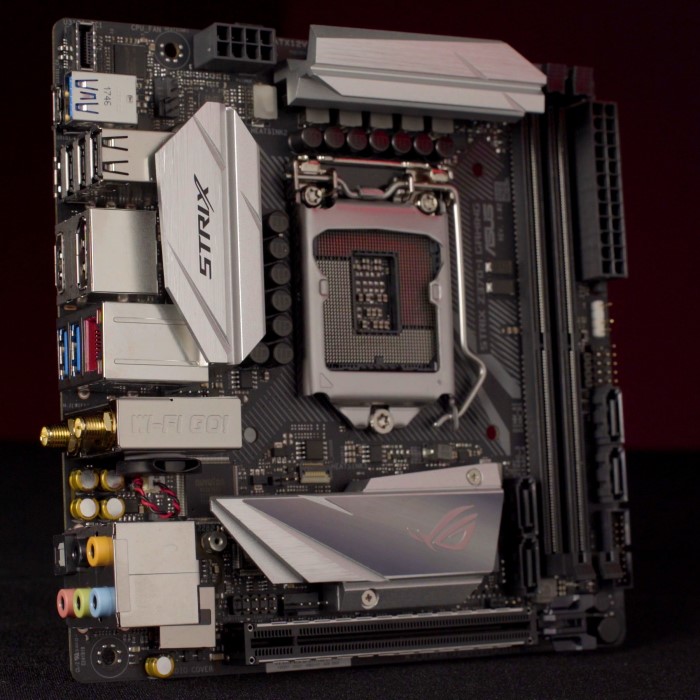
- Mini-ITX: This is the smallest form factor. Mini-ITX boards are great for ultra-compact cases. While they generally offer fewer features and expansion slots, they are ideal for users needing a small footprint without sacrificing performance.
Key Features to Consider
Having established the form factor, it’s essential to delve into specific features that matter when learning how to choose a motherboard.
CPU Compatibility
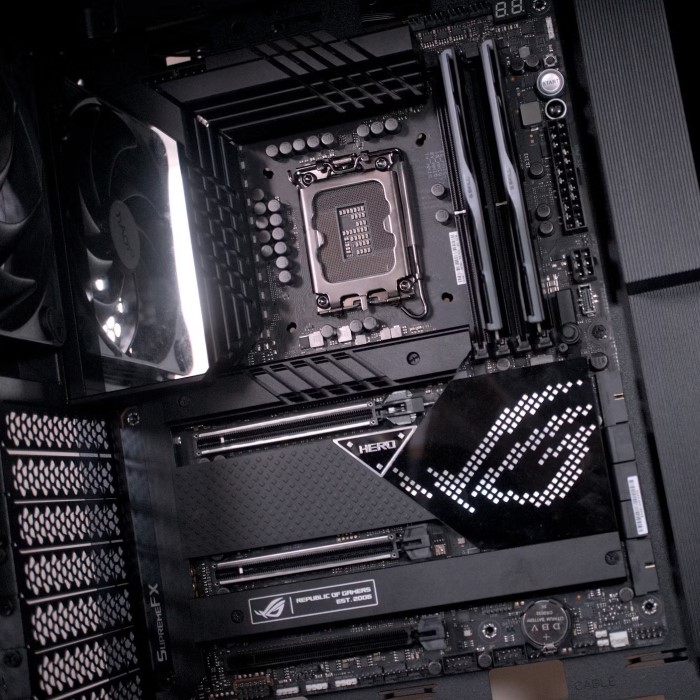
- Chipset Selection: The chipset dictates which CPUs are compatible with your motherboard. It also influences the features available, including overclocking support and connectivity options. Always ensure the motherboard’s chipset matches your desired processor brand (Intel or AMD).
- Future-Proofing Your Build: Selecting a motherboard with support for the newest generations of CPUs can prolong the life of your system. Enthusiasts should check for promised compatibility with upcoming CPU generations to maintain system longevity.
RAM Compatibility
Memory Types
- Understanding RAM Variants: Different motherboards are designed to support specific types of RAM, such as DDR4 and DDR5. Each type has its own characteristics and performance capabilities.
- Compatibility Verification: It is essential to verify that the motherboard you choose is compatible with the type of RAM you intend to install. Check the specifications provided by the motherboard manufacturer to ensure compatibility.
- Performance Differences: DDR5 RAM, for example, generally offers higher bandwidth and improved energy efficiency compared to DDR4. However, not all motherboards support DDR5, so selecting a compatible motherboard is crucial for maximizing performance.
- Future-Proofing Your Build: As technology advances, newer RAM types may emerge. Choosing a motherboard that supports the latest memory standards can provide greater flexibility for future upgrades without needing to replace the motherboard.
Maximum RAM Capacity
- Understanding RAM Limits: Every motherboard has a maximum RAM capacity, which determines how much memory can be installed. This limit is often specified in the motherboard’s technical specifications.
- Assessing Usage Needs: If you plan to run demanding applications, like video editing software or high-end gaming, you will need ample RAM to ensure smooth performance. Check the motherboard’s specifications to ensure it meets your needs.
- Memory Slot Configuration: Most motherboards come with a specified number of RAM slots (typically two to four). Each slot contributes to the total RAM capacity. The total amount of RAM you can use is calculated based on the number of slots and their maximum capacity.
- Planning for Upgrades: When selecting a motherboard, consider your current and future RAM needs. Choosing a motherboard with higher maximum capacity allows for easier upgrades in the future, saving you money and hassle.
Dual-Channel vs. Single-Channel
- The Concept of Memory Channels: RAM operates in single-channel or dual-channel configurations. Single-channel memory uses one channel to communicate between the RAM and the CPU, while dual-channel utilizes two channels.
- Performance Benefits of Dual-Channel Architecture: Opting for a motherboard that supports dual-channel memory can enhance overall system performance. This configuration allows the CPU to access data from RAM more efficiently, leading to improved processing speed.
- Increased Bandwidth: With dual-channel memory, the overall bandwidth is effectively doubled compared to single-channel. This is particularly beneficial for applications that require high data transfer rates, like gaming and graphic design.
- Requirements for Dual-Channel Operation: To take advantage of dual-channel memory, it is crucial to install RAM in pairs (matched sets). Ensure that the modules are of the same size and type to benefit from the performance gains associated with dual-channel configurations.
- Long-Term Impact on Performance: Over time, the performance differences between systems using single-channel and dual-channel memory can become pronounced, especially in resource-intensive scenarios. Therefore, choosing a motherboard that supports dual-channel can lead to better performance and responsiveness in demanding tasks.
Expansion Slots and Connectivity
Ensuring your motherboard has adequate expansion slots and connectivity options is essential for both current and future hardware.
PCIe Slots
- Graphics Card Compatibility: Most dedicated graphics cards require PCIe slots for installation. Ensure your motherboard has at least one PCIe x16 slot, especially if you plan to use high-performance gaming GPUs.
- Additional Expansion Slots: Look for additional PCIe slots for future upgrades. These can be used for sound cards, additional storage controllers, or other expansion cards.
USB and Other Ports
- USB Types and Count: Modern motherboards should have a mix of USB ports, including USB-C, USB 3.0, and standard USB 2.0 ports. Having multiple ports will improve connectivity options for peripherals.
- Front Panel Headers: Ensure the motherboard includes sufficient front panel headers for USB connections, audio ports, and other accessories.
Integrated vs. Dedicated Graphics
When building a PC, deciding between integrated and dedicated graphics is an important consideration.
Integrated Graphics
- Cost-Effective Solutions: Integrated graphics are built into the CPU and are often sufficient for everyday tasks such as web browsing or office applications. If you don’t plan on gaming, a motherboard with integrated graphics can save on costs.
- Limitations: Integrated graphics may not handle demanding tasks well, such as gaming or video editing. For such tasks, dedicated graphics cards are required.
Dedicated Graphics
- Performance Advantages: Dedicated graphics cards are essential for gaming enthusiasts and professionals working with graphics-intensive applications. A motherboard must provide adequate PCIe slots and power to support these cards.
- Future Scalability: Choosing a motherboard that can accommodate powerful graphics cards allows for future upgrades, ensuring you can enhance performance as needed.
BIOS Features and Update Process
BIOS (Basic Input/Output System) is crucial for system functionality. Understanding what to look for can enhance your knowledge of how to choose a motherboard.
Updateability
- Support for Updates: Choose a motherboard that offers easy BIOS updates. Many manufacturers provide software tools that simplify the updating process, helping users keep their systems current.
- BIOS Features: An advanced BIOS can offer various features, such as overclocking settings, hardware monitoring, and better customization options.
Brand Reputation and Support
Choosing reputable manufacturers can significantly impact your overall experience with a motherboard.
Researching Brands
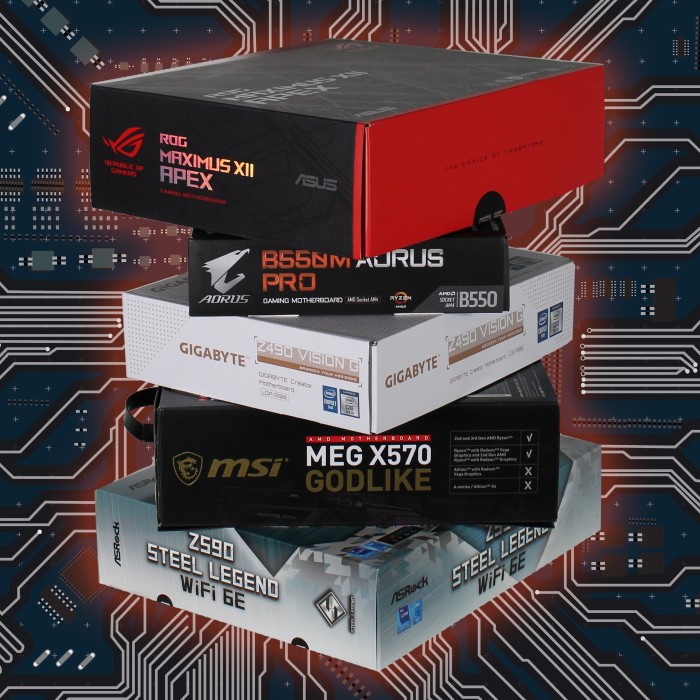
- Manufacturer Reputation: Look for brands known for reliability and quality, such as ASUS, MSI, Gigabyte, and ASRock. These companies have established strong track records in the industry.
- Warranty and Support: Investigate the warranty provided by different manufacturers. A comprehensive warranty can offer peace of mind, while customer support can be invaluable if issues arise during setup.
FAQ: Common Questions About Choosing a Motherboard
How do you know what motherboard to choose?
To choose the right motherboard, you need to assess your CPU compatibility, desired features, required connectivity, and overall goals for system performance. Researching different options and comparing specifications will help inform your decision.
Is a B or H motherboard better?
B-series motherboards typically offer more features and better performance capabilities compared to H-series boards. However, H-series boards can be more cost-effective for general use without demanding performance needs.
How to know which motherboard is compatible with which CPU?
Check the motherboard’s specifications and confirm the supported CPU socket types and chipsets. You can often find compatibility information on the manufacturer’s website or in the motherboard’s user manual.
Can any motherboard fit in any PC?
No, motherboards must be compatible with the case form factor (such as ATX, MicroATX, or Mini-ITX) and other components. Always check compatibility for size and connections to avoid issues during installation.
This article provides a comprehensive overview for enthusiasts, helping them make informed decisions for a successful build or upgrade that meets their computing needs.
Conclusion: Making Informed Decisions
When deciding how to choose a motherboard, several key considerations must be evaluated. These include compatibility with your CPU, RAM support, expansion capabilities, graphics options, BIOS functionality, and manufacturer reputation.
Each of these factors plays a crucial role in ensuring you build or upgrade a system that meets your specific needs. By carefully assessing these aspects, enthusiasts can select a motherboard that not only fits their immediate requirements but also provides room for future upgrades, ultimately crafting a powerful computing experience.