
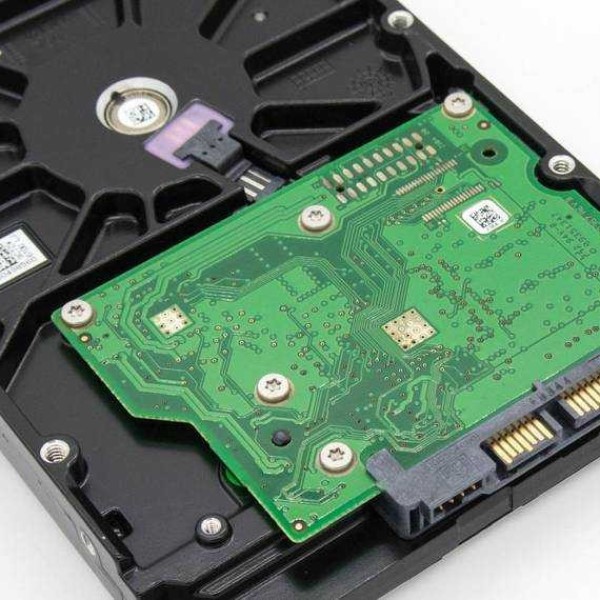
Introduction to SATA Hard Drives
What is sata hard drive? SATA hard drives are essential for storing digital data in computers. They are widely used for personal and professional computing needs.
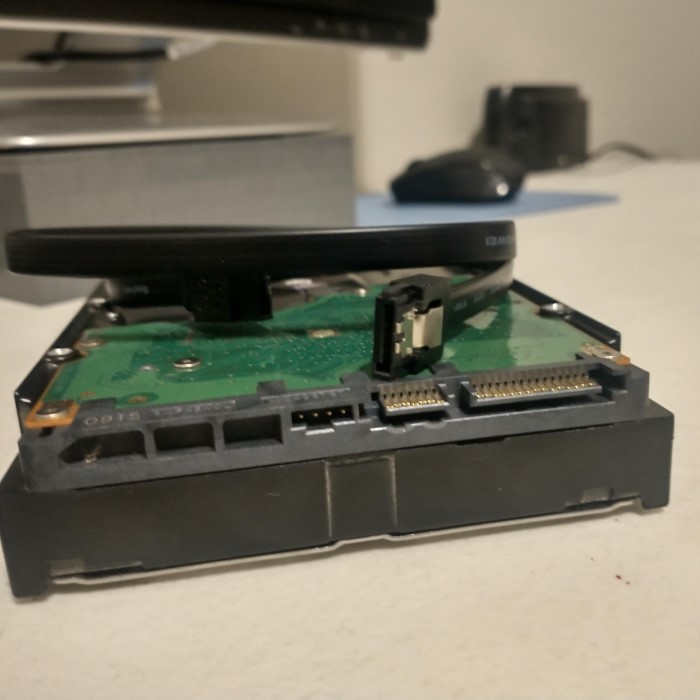
Definition and Purpose of SATA Hard Drives
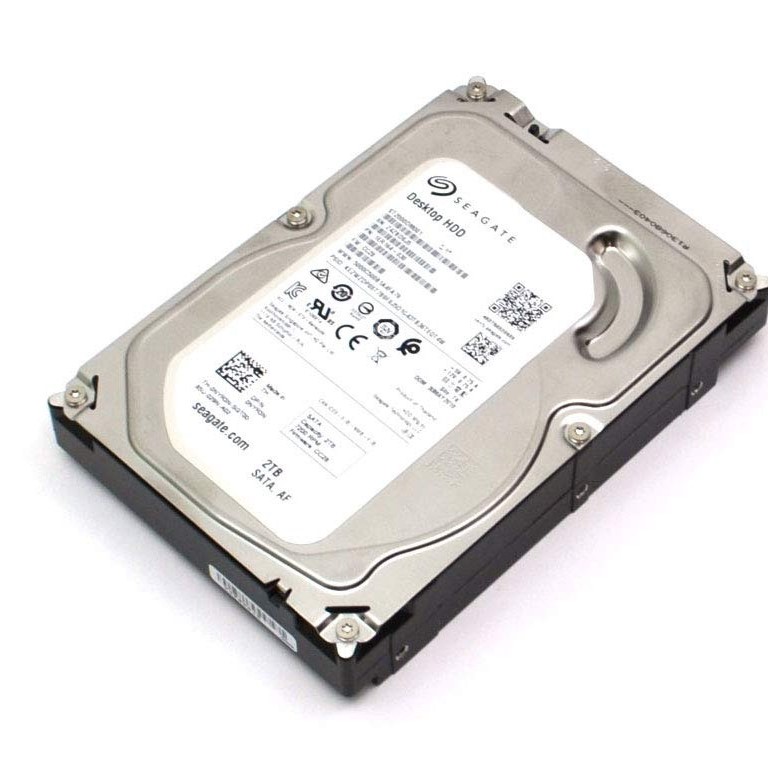
SATA stands for Serial Advanced Technology Attachment. It is a standard interface for connecting hard drives to computers. SATA hard drives are designed to store and allow quick access to data. Their primary purpose is to provide reliable digital data storage solutions. They are used both in laptops and desktop computers.
Evolution of SATA Technology
SATA technology has evolved significantly over time. It was introduced in the early 2000s, replacing older interfaces like IDE. The first generation, SATA I, offered a transfer speed of 1.5 Gb/s. Later, SATA II improved speed to 3 Gb/s, and SATA III further increased speed to 6 Gb/s. Each new version brought better performance and enhanced reliability, meeting the growing demands for faster data access.
How SATA Hard Drives Work
What is sata hard drive? SATA hard drives operate efficiently to store and retrieve data in computers. Understanding their internal processes and connections is key to appreciating their functionality.
Data Transfer Mechanism
SATA hard drives transfer data using a high-speed serial communication protocol. This protocol ensures quick and reliable data movement between the hard drive and the computer’s motherboard. Data is transmitted in small packets through a dedicated channel, reducing lag and boosting performance. Each SATA hard drive has its own connection to the motherboard, eliminating data bottlenecks. This approach supports multitasking and smooth system performance.
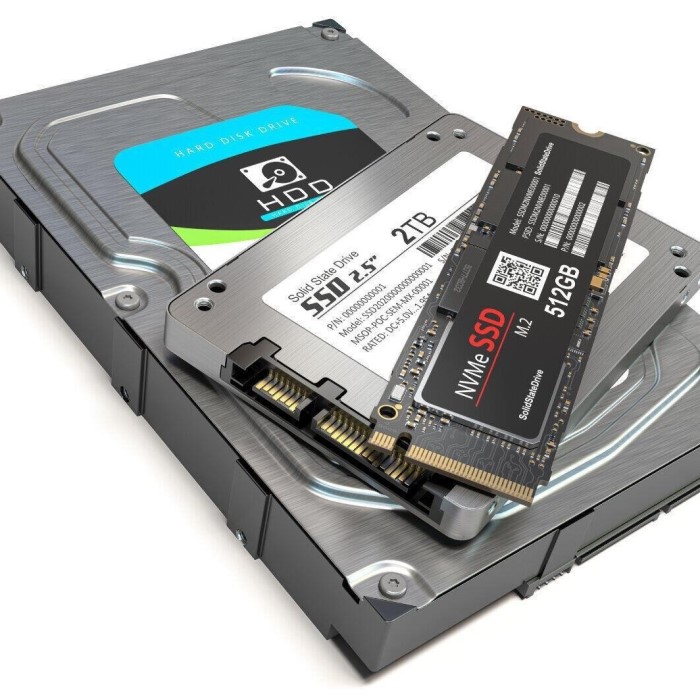
Connection Interface and Ports
SATA hard drives use distinct interfaces and ports for connectivity. They feature a 7-pin data connector and a 15-pin power connector. The data connector links the drive to the motherboard, while the power connector supplies electricity. These drives connect to the system through SATA ports available on the motherboard. Each port on the motherboard corresponds to one SATA hard drive, ensuring individualized data transfer paths.
Types of SATA Hard Drives
What is sata hard drive? SATA hard drives come in various forms, catering to different storage and performance requirements. The two main categories are SATA SSDs and SATA HDDs. Additionally, SATA technology is classified into three main versions: SATA I, SATA II, and SATA III. Below, we will explore these types in detail.
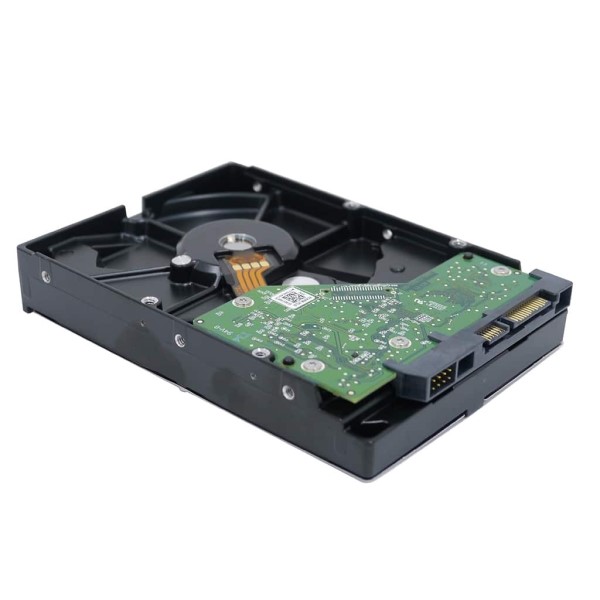
SATA SSDs vs. SATA HDDs
SATA SSDs and SATA HDDs are two distinct types of SATA drives, differing in speed and functionality:
- SATA HDDs (Hard Disk Drives):
- These use mechanical spinning disks to store data.
- They are slower than SSDs but offer higher storage capacities at a lower cost.
- SATA HDDs are ideal for tasks requiring large storage, such as backups and archives.
- SATA SSDs (Solid State Drives):
- SSDs use flash memory to store data, making them faster than HDDs.
- They have no moving parts, which results in better durability and less power consumption.
- SATA SSDs improve boot times, file transfer speeds, and overall system performance.
Comparing SATA I, SATA II, and SATA III
SATA technology has evolved through three primary versions:
- SATA I (1.5 Gb/s):
- This was the first version of SATA, introduced in the early 2000s.
- It had a maximum data transfer rate of 1.5 Gb/s.
- SATA I is outdated for modern computing needs.
- SATA II (3 Gb/s):
- SATA II introduced faster speeds, doubling the transfer rate to 3 Gb/s.
- It also added features like native command queuing (NCQ) for improved multitasking.
- SATA III (6 Gb/s):
- The latest version offers up to 6 Gb/s transfer rates.
- It enhances performance for high-speed SSDs and supports advanced storage devices.
- SATA III ensures smooth data access for modern computing demands.
Understanding these types of SATA hard drives can help you select the right one for your needs. Whether prioritizing speed with SATA SSDs or storage capacity with SATA HDDs, or choosing the appropriate technology version, making an informed decision can optimize performance.
Benefits of SATA Hard Drives
SATA hard drives are highly regarded for their functionality, performance, and affordability. They provide several benefits for individual users and businesses alike. Below, we’ll explore their key advantages.
Performance and Compatibility
SATA hard drives deliver consistent performance across various applications:
- Fast Data Transfers: SATA III supports data transfer speeds of up to 6 Gb/s. This enables quicker file access and smoother operations for users.
- Wide Compatibility: SATA drives work with almost every modern computer and motherboard. They follow a standardized design, which ensures easy integration.
- Reliable Multitasking: SATA’s native command queuing (NCQ) improves multitasking. It allows the hard drive to handle multiple commands efficiently.
- Support for Varied Storage Needs: SATA’s versions (I, II, III) cater to both basic and advanced users. From slower drives for general use to fast drives for heavy tasks, SATA fulfills varied requirements.
Cost-Effectiveness and Availability
SATA hard drives are a cost-effective storage solution for many reasons:
- Affordable Pricing: SATA HDDs are cheaper than SSDs, offering high storage capacity at a lower price. This makes them ideal for users prioritizing storage over speed.
- Wide Availability: SATA hard drives are widely available in the market. This ensures users can easily find replacements or upgrades as needed.
- Durability and Long Lifespan: SATA SSDs, in particular, have no moving parts, making them more durable. This reduces the likelihood of mechanical failures, extending the life of the drive.
- Energy Efficiency: SATA SSDs consume less power, which is beneficial for laptops and energy-conscious users.
In summary, the benefits of SATA hard drives lie in their balance of performance, compatibility, affordability, and availability. With options for every need, from high-speed computing to large storage solutions, SATA drives are a reliable choice for many users.
Common Uses of SATA Hard Drives
SATA hard drives are versatile and cater to a variety of needs. They are widely used in both consumer and business settings due to their performance and affordability. Below, we explore their applications in detail.
Consumer Applications
SATA hard drives are a popular choice for personal computing needs. Here are their main applications in the consumer space:
- PC Storage: SATA drives are ideal for personal computer storage. They provide ample space for documents, photos, and videos.
- Gaming: Gamers use SATA SSDs for faster game loading and smoother performance. These drives enhance the gaming experience by reducing lag.
- Media Libraries: Large-capacity SATA HDDs are great for storing extensive collections of music, movies, and photos.
- DIY Builds: Enthusiasts often use SATA drives in custom-built desktops for their affordability and compatibility with motherboards.
- Backup Solutions: External SATA HDDs serve as reliable backup devices for securing personal data.
Business and Enterprise Scenarios
Businesses and enterprises extensively use SATA hard drives to meet their storage requirements. Key applications include:
- Data Storage: SATA HDDs are used to store large amounts of business data efficiently and affordably.
- Servers: SATA HDDs and SSDs support database management and file sharing in company servers.
- Archiving: High-capacity SATA drives are great for file archiving, ensuring secure long-term data retention.
- Workstations: Professionals rely on SATA SSDs for faster file access and high-performance workloads like video editing.
- Data Centers: While NVMe drives are preferred for speed, SATA HDDs are still used for cost-effective bulk storage in data centers.
In conclusion, SATA hard drives provide flexible storage solutions for various consumer and business applications. Their combination of speed, capacity, and affordability makes them the top choice for many users.
Installation and Maintenance of SATA Hard Drives
Proper installation and maintenance are crucial for maximizing the performance and lifespan of SATA hard drives. Here’s how to install and care for them effectively.
Step-by-Step Installation Guide
Installing a SATA hard drive is straightforward. Follow these steps for a successful setup:
- Turn Off the Computer: Before starting, ensure the computer is powered off and disconnected.
- Open the Case: Remove the computer casing to access the motherboard and drive bays.
- Secure the Drive: Mount the SATA hard drive into an available drive bay. Use screws to fix it securely.
- Connect the Data Cable: Plug the 7-pin SATA data cable into the hard drive and connect the other end to the motherboard.
- Connect the Power Cable: Attach the 15-pin SATA power cable from the power supply to the drive.
- Boot Up the Computer: Close the case, reconnect the power, and start the computer.
- Configure Drive Settings: Use the BIOS or Disk Management tools to format and initialize the new drive.
Best Practices for Hard Drive Care
Proper care helps prolong the life of SATA hard drives. Follow these practices for optimal maintenance:
- Keep Files Organized: Regularly delete unnecessary files to free up space.
- Monitor Temperature: Avoid overheating by ensuring adequate airflow inside the computer case.
- Check Disk Health: Use diagnostic tools to identify issues early and maintain drive performance.
- Backup Data Regularly: Save copies of important files to prevent data loss in case of failure.
- Handle Carefully: Avoid physical shocks or drops that might damage the drive components.
- Update Firmware: Keep the hard drive firmware updated for better compatibility and functionality.
By following these installation and care guidelines, users can ensure their SATA hard drives function efficiently for years.
SATA Hard Drive Alternatives
SATA hard drives are widely used, but other storage technologies also offer unique benefits. Understanding these alternatives can help users choose the best fit for their needs.
Comparing SATA to Other Technologies (e.g., NVMe, IDE)
SATA drives differ from technologies like NVMe and IDE in several key ways:
- NVMe (Non-Volatile Memory Express):
- NVMe drives use PCIe lanes for data transfer, offering faster speeds than SATA.
- They support ultra-fast file transfers, making them ideal for gaming and professional tasks.
- NVMe drives are more expensive but deliver cutting-edge performance.
- IDE (Integrated Drive Electronics):
- IDE is an older interface, used before SATA was introduced.
- It supports slower data rates compared to SATA (up to 133 MB/s maximum).
- IDE drives are now mostly obsolete due to their limited speed and compatibility.
In summary, NVMe is a top choice for its speed in advanced tasks. IDE, however, has been replaced by SATA for its superior performance and reliability.
Situations Where Other Storage Options May Be Better
While SATA drives are versatile, other options can be better in specific scenarios:
- NVMe Drives for Speed-Critical Tasks:
- NVMe is best for high-performance computing, video editing, and large data transfers.
- It significantly reduces boot times and improves system responsiveness.
- HDDs for Budget-Friendly Storage:
- Traditional hard drives (HDDs) offer higher storage capacities for a lower price.
- They are ideal for archiving data, backups, or media libraries on a budget.
- External Drives for Portability:
- External SSDs or HDDs are suitable for on-the-go storage needs.
- They provide convenient data transfer and secure backups.
- Cloud Storage for Remote Access:
- Cloud solutions allow users to access data from any location.
- They are suitable for collaborative work and large-scale data sharing.
Choosing the best storage depends on individual priorities like speed, cost, or capacity. Balancing these factors helps ensure the most efficient and practical solution.
Troubleshooting SATA Hard Drive Issues
SATA hard drives are reliable, but problems can occur over time. Identifying and fixing issues quickly ensures continued performance. Below, we explore common problems and solutions as well as how to diagnose faults and replace failing drives.
Common Problems and Solutions
SATA hard drives may face several issues. Here’s how to address them effectively:
- Drive Not Detected:
- Ensure the SATA cable is securely connected to both the drive and motherboard.
- Check the motherboard’s BIOS to confirm that the SATA port is enabled.
- Replace the SATA cable if it appears faulty.
- Slow Performance:
- Defragment the drive to improve speed. Use built-in tools like Windows Disk Defragmenter.
- Clear unnecessary files and programs to free up space.
- Update the drive’s firmware to ensure compatibility and better performance.
- Intermittent Connection Issues:
- Inspect the SATA port for damage or dirt. Clean it if necessary.
- Try connecting the drive to another SATA port on the motherboard.
- Noisy Drive Operation:
- Noise in HDDs can indicate mechanical failures. Backup data immediately.
- Replace the drive if the noise persists, as this could signal impending failure.
- Drive Errors or Crashes:
- Run diagnostic tools like CHKDSK to fix errors.
- Format the drive if errors occur frequently, but ensure all data is backed up first.
Diagnosing Faults and Replacement Options
Diagnosing SATA hard drive problems helps decide whether to repair or replace the drive:
- Run Diagnostic Software:
- Use tools like CrystalDiskInfo or manufacturer software to check drive health.
- Look for signs of failure, such as bad sectors or overheating.
- Check Power and Data Cables:
- Inspect the power and data cables for wear or damage.
- Ensure all cables are correctly attached to the drive and motherboard.
- Test on Another System:
- Connect the drive to a different computer to verify if the issue persists.
- If it works on another system, the problem might be with your motherboard or cables.
- Backup Data Immediately:
- If the drive shows signs of failure, backup important files right away.
- Use external storage or cloud services for secure data storage.
- Replace the Drive:
- If diagnostics confirm the drive is failing, prepare to replace it.
- Upgrade to a faster SATA SSD for better performance, or choose an HDD for more capacity.
By addressing common problems and understanding how to diagnose issues, you can maintain your SATA hard drive’s performance. Regular monitoring and timely replacements ensure data safety and system reliability.
Conclusion: The Versatility of SATA Hard Drives
What is sata hard drive? In summary, understanding what a SATA hard drive is essential for anyone involved in data management, whether for personal use or business applications. With their affordability, large storage capacities, and ease of use, SATA hard drives continue to serve as a reliable storage solution. Despite competition from SSDs, SATA hard drives cater to budget-conscious consumers and remain a fundamental component of today’s computing landscape. So, if you require substantial storage at a reasonable price, consider opting for a SATA hard drive as your go-to solution.
 Griley