

Introduction to Membrane Keyboards
In today’s digital landscape, choosing the right type of keyboard can significantly enhance your typing experience. What is a membrane keyboard? Among the various options available, a membrane keyboard stands out as a popular choice, especially among casual users. But what exactly is a membrane keyboard? In simple terms, a membrane keyboard is a type of keyboard that uses a pressure pad system instead of mechanical switches. This design results in quieter operation, a more compact form factor, and often a lower price point. This guide will delve into the features, benefits, and ideal choices for casual users seeking to improve their keyboard experience with membrane technology.
Understanding Membrane Keyboards
What Is a Membrane Keyboard?
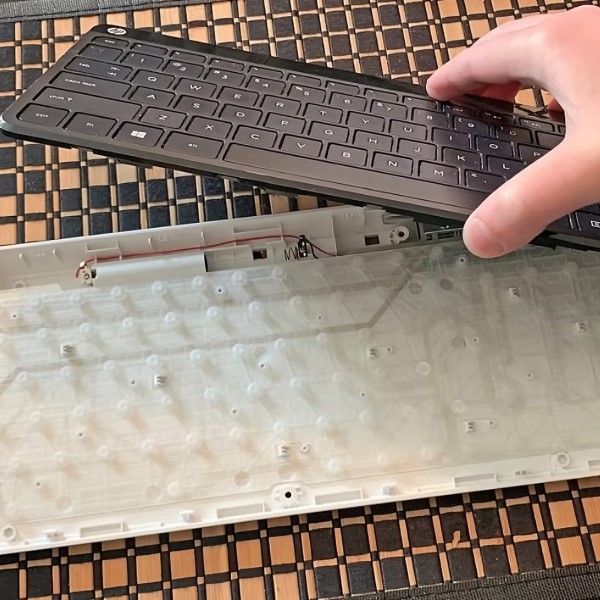
A membrane keyboard uses a different mechanism than traditional mechanical keyboards. The keys on a membrane keyboard do not have individual switches; instead, they rely on a single pressure pad located beneath the keys. When a key is pressed, the pressure pad beneath it creates an electrical connection that sends a signal to the computer.
- Components: Typically, a membrane keyboard consists of three main layers: the top membrane layer with printed keys, a spacer layer to separate the contact pads, and a bottom layer with a circuit board. This layered design allows for effective input in a compact form.
- Design Variability: Membrane keyboards come in various designs, some of which feature chiclet keys, while others resemble traditional key layouts. This versatility can cater to different user preferences.
How Do Membrane Keyboards Work?
The operation of a membrane keyboard is straightforward. When a key is pressed down:
- Pressure Activation: The top membrane layer compresses, making contact with the underlying circuits.
- Feedback Mechanism: Unlike mechanical keyboards, which provide tactile feedback as the switches actuate, membrane keyboards often feel softer. Users typically experience a mushy response when typing, which may suit casual users but might deter heavy typists or gamers.
- Key Lifespan: Membrane keyboards generally have a shorter lifespan compared to mechanical counterparts, commonly ranging from 5 to 10 million keystrokes. While this may be lower than mechanical keyboards, it is adequate for casual use.

Benefits of Membrane Keyboards
Value for Money
What is a membrane keyboard? One of the most compelling advantages of membrane keyboards is their affordability. Generally, they cost significantly less than mechanical keyboards, making them a budget-friendly option for casual users. For someone who primarily uses a keyboard for web browsing, casual gaming, or word processing, a membrane keyboard provides excellent value without compromising basic functionality.
Compact and Lightweight
Membrane keyboards are typically more compact and lighter than their mechanical counterparts. This compactness makes them an excellent choice for users with limited desk space or those who need a portable keyboard for travel or remote work.
Quieter Operation
Many users prefer membrane keyboards for their quiet operation. The absence of mechanical switches means less noise when typing, a feature that is beneficial in shared workspaces or quiet environments. This quieter typing sound makes them ideal for office settings or during late-night typing sessions without disturbing others.
Easy to Clean
Maintaining a clean workspace is essential, and membrane keyboards offer some advantages in this department. Compared to mechanical keyboards, which can have small crevices where crumbs and dust accumulate, membrane keyboards typically have a flatter, more sealed design. This means less effort is needed to clean them, as spills can often be wiped away without many nooks and crannies to navigate.
Ideal Choices for Casual Users
Top Membrane Keyboards to Consider
What is a membrane keyboard? The following are some of the best membrane keyboards that cater to casual users. They provide an excellent blend of functionality, aesthetics, and price.
- Logitech K120: Known for its durable construction and affordable price, the Logitech K120 is a standard choice that features a full-size layout and a spill-resistant design. Its quiet keys make it suitable for a variety of environments.
- Microsoft Wired Keyboard 600: This keyboard offers a comfortable typing experience with low-profile keys and adjustable tilt legs. It is designed for easy use, with a straightforward plug-and-play setup and other essential features like multimedia keys.
- Razer Cynosa V2: Though primarily marketed as a gaming keyboard, the Razer Cynosa V2 employs membrane-switch technology while offering customizable RGB lighting. This feature appeals to casual gamers looking for eye-catching visuals.
- Corsair K55 RGB: This keyboard combines membrane technology with customizable RGB lighting. Providing macro support and dedicated media controls, it is great for both casual users and gamers alike.
- Logitech G213 Prodigy: This gaming keyboard is a solid choice for casual players. It features customizable RGB lighting, dedicated media controls, and built-in wrist support for extended gaming sessions.
Why These Models?
These keyboard models have been selected based on their performance, comfort, and user feedback specifically geared toward casual usage. They offer good value for money while providing the essential functionalities needed by casual typists and gamers.
Membrane vs. Mechanical Keyboards
What Is the Difference?
What is a membrane keyboard? The key distinctions between membrane keyboards and mechanical keyboards mainly revolve around the switches, feedback, and user experience.
Switch Mechanism
- Membrane Keyboards: These keyboards operate using a pressure pad mechanism rather than individual switches. This means that beneath the keys, there is a single layer that detects key presses through pressure rather than mechanical action. When a key is pressed down, it compresses the pad, creating an electrical connection that registers the input on the computer. This system allows for a more compact design compared to mechanical alternatives.
- Mechanical Keyboards: In contrast, mechanical keyboards deploy individual mechanical switches for each key. Each switch has its own mechanism that includes metal springs and actuators. This design allows for reliable and consistent key presses. When a key is pressed, the individual switch actuates, providing a distinct feel and response when typing. This fundamental difference in operation impacts how users interact with their keyboards on a daily basis.
- Effects on Feel and Performance: Due to the pressure pad mechanics of membrane keyboards, users often experience a softer, less tactile typing feel. In contrast, the mechanical key switches provide a firmer response, which can enhance typing speed and accuracy, especially for users who spend long hours typing or gaming.
Feedback and Responsiveness
- Tactile and Auditory Feedback: Mechanical keyboards are known for their tactile and audible feedback. Many mechanical switches are designed to offer a clear “click” sound, along with a noticeable resistance when the key is pressed. This feedback can be very satisfying for users and aids in developing a typing rhythm and precision. Gamers and typists alike often appreciate this feature, as it makes their keystrokes feel more deliberate and effective.
- Softer Touch of Membrane Keyboards: Conversely, membrane keyboards typically provide a much softer touch when a key is pressed. As there is no distinct movement or sound associated with each key action, some users may find that this design leads to a less satisfying typing experience.
- User Preferences: This difference in feedback and responsiveness often leads to a preference among certain user groups. Casual typists may appreciate the quiet operation of membrane keyboards, whereas gamers and heavy typists often prefer the precise response and tactile feel of mechanical keyboards.
Customization Options
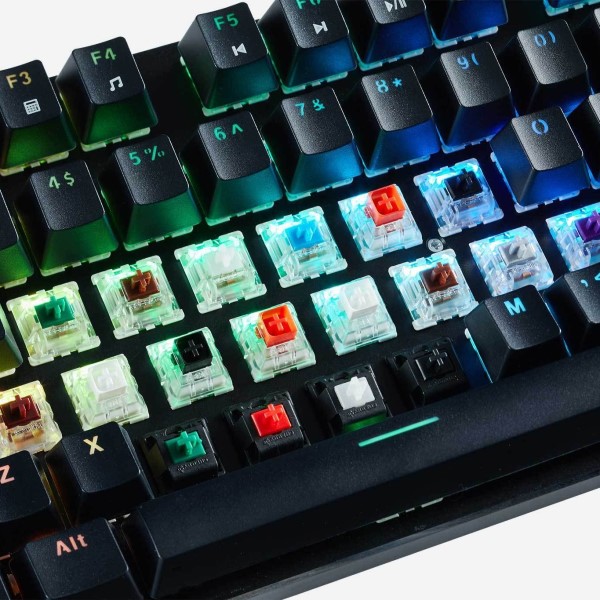
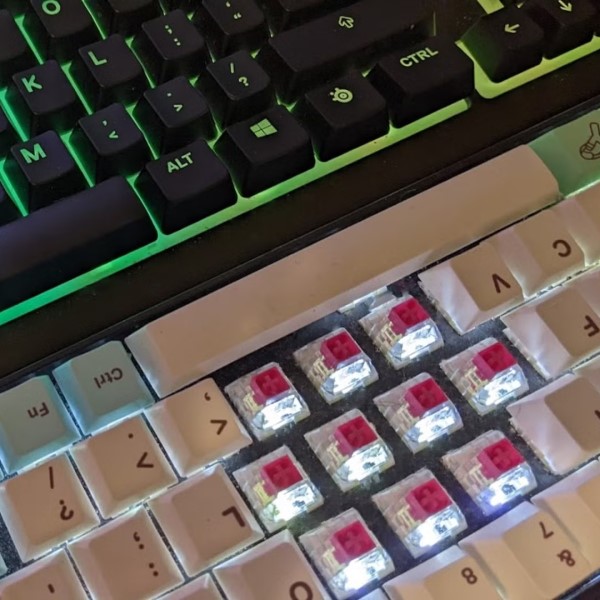
- Highly Customizable Mechanical Keyboards: One of the major advantages of mechanical keyboards is their high level of customization. Users can change individual keycaps to match personal aesthetics or typing preferences. Additionally, many mechanical keyboards allow users to modify or swap out the switches. This means users can choose switch types that align with their preferred feel and actuation point, offering a highly personalized typing experience.
- Software Enhancements: Many mechanical keyboards come with advanced software that allows users to program keys, set up macros, and customize RGB lighting. These features enable users to fine-tune their keyboard experience, whether for productivity or gaming, making mechanical keyboards a favorite among enthusiasts.
- Limited Customization for Membrane Keyboards: In contrast, membrane keyboards generally lack this level of customization. The design typically limits keycap replacement or switch modifications due to the pressure pad mechanism. Users are often stuck with the keyboard’s built-in features, which may not cater to personal style or functionality preferences. While some membrane keyboards may come with customizable RGB lighting or multimedia keys, they do not support the extensive customization capabilities found in most mechanical keyboards.
Which Is Better for You?
Ultimately, the choice between membrane and mechanical keyboards depends on your typing preferences and usage scenario. Casual users often find satisfaction in the softer feel and affordability of membrane keyboards, while heavy typists or gamers may prefer the precision and responsiveness of mechanical keyboards.
FAQ About Membrane Keyboards
What is the difference between a membrane keyboard and a normal keyboard?
A membrane keyboard has a soft, pressure-sensitive design without individual switches for each key. In contrast, a normal (mechanical) keyboard uses separate mechanical switches, providing tactile feedback and greater durability.
What are membrane keyboards good for?
Membrane keyboards excel in casual use scenarios such as word processing, web browsing, and light gaming. They are an excellent economical choice for users who need a functional keyboard without extensive gaming or professional typing needs.
Why do gamers hate membrane keyboards?
Gamers tend to prefer mechanical keyboards for their speed, precision, and tactile feedback. Membrane keyboards often lack the responsiveness needed for competitive gaming, which can lead to missed keystrokes and delayed reactions.
How do I know if my keyboard is mechanical or membrane?
You can determine if your keyboard is mechanical or membrane by how the keys feel when pressed. Mechanical keyboards produce a distinct “click” and resistance at the actuation point, while membrane keyboards feel softer and generally lack this feedback.
Conclusion: Making an Informed Decision
In summary, membrane keyboards are accessible, budget-friendly, and ideal choices for casual users looking for functionality without the complexities of mechanical alternatives. Understanding what is a membrane keyboard can help you appreciate the benefits and limitations involved, allowing you to make an informed decision based on your personal needs. Whether you are typing, gaming, or working, there is a membrane keyboard out there that is perfect for you. Embrace the simplicity and convenience that membrane technology offers and enhance your overall typing experience.