
The Rise of Home Printing for Hobbyists
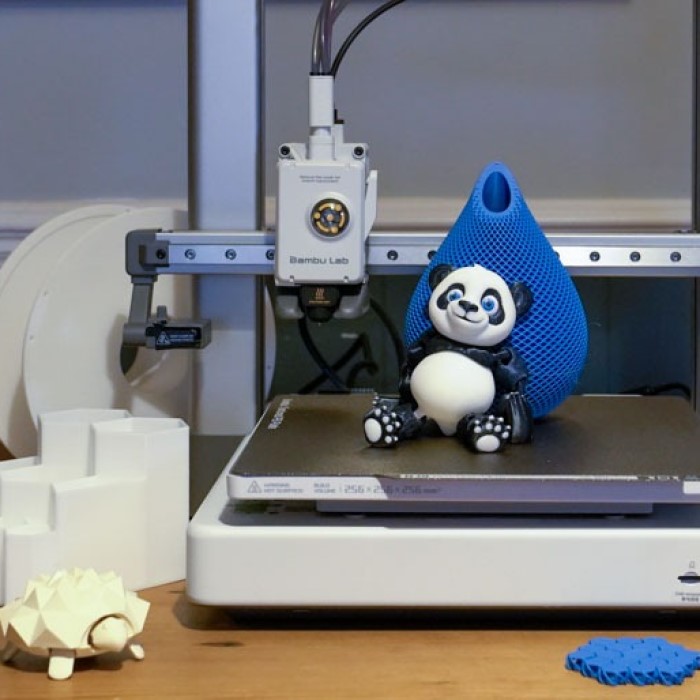
The world of tabletop gaming and model collecting has changed forever. In the past, hobbyists were limited to what they could find in stores. They had to buy pre-made figures. These were often expensive or lacked customization. Today, the landscape is vastly different. Technology has advanced rapidly. Consequently, prices have dropped significantly. Now, an affordable 3d printer for miniatures is a reality for many enthusiasts. This shift has empowered creators. It allows them to bring their imagination to life without breaking the bank. You can print heroes, monsters, and terrain from your desk. This is a revolution in accessibility.
However, diving into this hobby can still feel daunting. There are many technical terms to learn. Words like “resin,” “SLA,” and “slicer software” might confuse beginners. Therefore, education is key. You must understand what makes a printer good for miniatures specifically. It is not just about the price tag. It is about detail, reliability, and ease of use. This article will guide you through the process. We will explore the technology behind these machines. We will also look at the best budget-friendly options available today. By the end, you will be ready to start your printing journey. You will see that high-quality printing is within your reach.
Understanding the Technology: FDM vs. SLA
To choose the right 3d printer for miniatures, you must understand the two main technologies. They are FDM and SLA. Fused Deposition Modeling (FDM) is the most common type. It melts plastic filament and extrudes it through a nozzle. It builds layers from the bottom up. FDM printers are great for large items. They are perfect for printing terrain pieces like houses or walls. However, they have limitations. The layer lines are often visible. This makes small details look rough. Therefore, FDM is not the ideal choice for highly detailed miniatures. On the other hand, Stereolithography (SLA) uses a completely different method. It uses a liquid resin.
A UV light source cures the resin layer by layer. This process creates incredibly smooth surfaces. The detail level is unmatched by FDM. Consequently, SLA is the gold standard for miniatures. It captures the smallest features. You can see the texture on a shield or the expression on a face. Within SLA, there are subtypes like DLP and MSLA. These terms refer to how the light cures the resin. For beginners, the specific technology matters less than the result. The key takeaway is simple. If you want highly detailed figures, SLA is the winner. You should prioritize resin printers for this specific hobby.
Why Resin Printers Are Superior for Details
Resin printing offers distinct advantages for miniature enthusiasts. The primary benefit is resolution. SLA printers use light to cure resin. The light source, usually a screen, has a high pixel density. This is called the XY resolution. It determines how small a detail the printer can create. In contrast, FDM printers rely on a mechanical nozzle. The nozzle has a minimum size, usually 0.4mm. This limits the detail it can produce. Consequently, resin printers can produce details far beyond what FDM can achieve. You can print intricate weapons and delicate fingers. The layer lines on resin prints are nearly invisible. This means less post-processing work.
You do not need to sand the figure as much. Furthermore, resin allows for smoother curves. FDM printers often struggle with overhangs and curves. Resin printers handle these with ease. The liquid resin supports the model as it prints. This allows for more complex poses. Therefore, for miniature painters, resin is the obvious choice. The surface takes primer and paint beautifully. It feels like a professional plastic model. While FDM has its place for terrain, resin reigns supreme for characters. It provides the quality that hobbyists demand. Investing in a resin printer ensures your miniatures look their best on the tabletop.
Key Features to Look for in a Budget Model
Shopping on a budget does not mean sacrificing quality. You just need to know what features matter most. First, look at the build volume. This determines how big a model you can print. For miniatures, you do not need a massive build plate. Most figures are small. However, a larger plate allows you to print many figures at once. This saves time. Second, consider the screen resolution. As mentioned earlier, this dictates detail. A 2K monochrome screen is the standard for budget models today. It offers excellent detail. Some newer budget models even offer 4K or 8K screens. These provide even sharper results. Third, check the connectivity options.

Most printers use USB or SD cards. Wi-Fi is a nice bonus but not essential. Fourth, look at the slicing software. The printer needs a “slicer” program to prepare files. Check if the printer comes with free, user-friendly software. Finally, consider the support structure. Resin printing requires supports to hold up the model. A good printer and software make removing these supports easy. You want a machine that is reliable. Read reviews to see if users experience frequent failures. A cheap printer that breaks often is not a bargain. Look for a balance of price and performance. The market is competitive. Many manufacturers are offering high-end features on entry-level machines.
Essential Accessories and Safety Equipment
Buying the printer is just the first step. You need other items to print successfully and safely. Resin printing involves chemicals. Therefore, safety is paramount. You must have proper ventilation. The resin has a strong odor. It can be harmful if inhaled in large quantities. So, a mask or respirator is essential. Look for one with organic vapor cartridges. Nitrile gloves are also non-negotiable. You should never touch liquid resin with your bare skin. It can cause irritation or allergic reactions. Furthermore, you need alcohol for cleaning. Isopropyl alcohol (IPA) is used to wash the printed models. You will need containers for this alcohol.
Many people use ultrasonic cleaners for this purpose. They make the cleaning process faster and more efficient. You also need tools to remove supports. A pair of flush cutters is perfect for this job. They cut the thin supports without damaging the model. Additionally, you need a way to cure the models after cleaning. UV light is required for the final hardening. Some printers have built-in cleaning and curing stations. If yours does not, you can use sunlight or a UV flashlight. However, a dedicated curing station is a worthy investment. Finally, you need the resin itself. There are many types. Standard resin is fine for beginners. It is brittle but holds detail well. Do not forget these accessories. They are vital for a successful and safe printing experience.
Setting Up Your Printing Workspace
Location is a critical factor for resin printing. Unlike FDM printers, resin printers are sensitive to temperature and light. They work best in a warm environment. Ideally, the room temperature should be between 20°C and 25°C. If it is too cold, the resin becomes thick. It may fail to cure properly. Therefore, a cold garage in winter is a bad location. A spare room or a basement is often better. However, you must prioritize air circulation. A well-ventilated area is a must. If you cannot open a window, consider a ventilation hood. You can vent the fumes outside. This protects your health. Light is another factor. The printer uses UV light to cure resin.
Therefore, you must keep the printer away from windows. Direct sunlight can cure the resin in the tank. This ruins the print and damages the screen. Ideally, the printer should be in a room with no natural light. Or, you can cover the printer with a box or enclosure. Stability is also important. The printer vibrates slightly during operation. A sturdy table is necessary. It ensures the print does not detach from the build plate. Setting up your workspace correctly increases your success rate. It prevents common failures caused by the environment. Take the time to prepare your space before you even unpack the machine.
The Workflow: From Digital File to Physical Model
The printing process is a journey with several steps. First, you need a 3D model file. These usually come in STL format. You can find files on websites like Thingiverse or MyMiniFactory. Many creators share files for free. Others sell high-quality sculpts. Once you have the file, you need to “slice” it. This involves using software like Chitubox or Lychee Slicer. You import the STL file into the software. Then, you add supports. Supports are thin pillars that hold up the model. They prevent drooping or collapsing during the print. Next, you “slice” the model. The software converts the 3D model into layers. It generates a file that the printer can read.
You save this file to a USB drive. Then, you insert the drive into the printer. You fill the tank with resin. You start the print. The printer lowers the build plate into the resin. The screen flashes, curing each layer. The plate lifts, and the process repeats. This can take several hours. Small miniatures print quickly. Large models take longer. Once the print is finished, you remove the build plate. You wash the model in alcohol. Finally, you cure it under UV light. Then, you cut away the supports. Now, you have a physical miniature ready for painting.
Maintenance and Troubleshooting Common Issues
Like any machine, a 3d printer for miniatures requires maintenance. Regular care ensures longevity. The most common issue is a failed print. This can happen for many reasons. One common reason is improper leveling. The build plate must be perfectly level against the screen. If it is tilted, the print will not stick. Most printers have a leveling procedure. You should perform this regularly. Another issue is the FEP film. This is the clear plastic sheet at the bottom of the resin tank. It can get cloudy or damaged over time. If it is damaged, the print will fail. You need to replace this film periodically. It is a cheap and easy fix.
Additionally, the screen itself can degrade. Monochrome screens last a long time. However, they are not immune to damage. Spilled resin can damage the electronics. Therefore, always be careful when handling liquid resin. Troubleshooting is part of the hobby. You will learn to identify problems. For example, if supports fail, you might need to increase their density. If the model is hollow, you need to add drainage holes. This prevents suction forces from pulling the print away. Online communities are a great resource. Forums and Discord servers are full of experienced users. They can help you solve specific problems. Do not get discouraged by failures. They are a normal part of the learning curve.

The Future of Affordable Miniature Printing
The technology is evolving at a rapid pace. Every year, printers become better and cheaper. We are seeing a trend towards larger print volumes. This is great for people who want to print whole armies at once. We are also seeing improvements in resin. New resins are more durable. They are less brittle than older formulas. Some resins are even water-washable. This eliminates the need for alcohol. This makes the cleaning process safer and easier. Furthermore, automation is entering the market. Some printers can automatically change resin tanks. This allows for multi-color prints.
While this is currently expensive, it will eventually trickle down to budget models. Another exciting development is 8K resolution. The detail on these screens is microscopic. It produces prints that rival injection-molded plastic. The barrier to entry is lower than ever. A budget 3d printer for miniatures today can do what an industrial machine did five years ago. This democratization of manufacturing is exciting. It allows more people to participate in the hobby. It fosters creativity and innovation. As the technology improves, the line between amateur and professional will blur. We can expect even more powerful tools in the hands of consumers soon. The future of tabletop gaming looks bright and highly detailed.
Frequently Asked Questions
What kind of 3D printer do you need for miniatures?
You need a resin printer, also known as an SLA or MSLA printer. These use UV light to cure liquid resin. They provide the high resolution necessary for small details. FDM printers are generally not detailed enough for character miniatures.
Can a 3D printer make miniatures?
Yes, absolutely. Modern resin printers can create incredibly detailed miniatures. They can produce models that are equal to or better than store-bought plastic figures. You can print anything from fantasy heroes to sci-fi vehicles.
Is there such a thing as a mini 3D printer?
Yes, there are compact models designed for small spaces. These “mini” printers often have smaller build volumes. They are perfect for printing standard 28mm or 32mm scale miniatures. They are also usually the most affordable option for beginners.
Conclusion: Starting Your Journey
Entering the world of 3D printing is an exciting venture. It opens up a universe of possibilities. You are no longer bound by what is on the store shelf. You can create custom terrain, unique heroes, and vast armies. Finding the right 3d printer for miniatures is the first step. It is a decision that balances budget, features, and ease of use. As we have explored, resin technology is the clear winner for detail.
It offers the quality that miniature painters demand. While the setup and safety requirements might seem strict, they quickly become second nature. The workflow becomes a rhythm. You will find joy in seeing a digital file turn into a physical object. The hobby is not just about the destination. It is about the process of creation. With the information provided here, you are well-equipped to make a purchase. You can choose a machine that fits your needs. You can set up a safe and efficient workspace. The barrier to entry has never been lower. Affordable options are abundant. The community is supportive. All that is left is to start. Unleash your creativity. Bring your imagination to life, one layer at a time.