
Introduction: The Power of Emojis in Communication
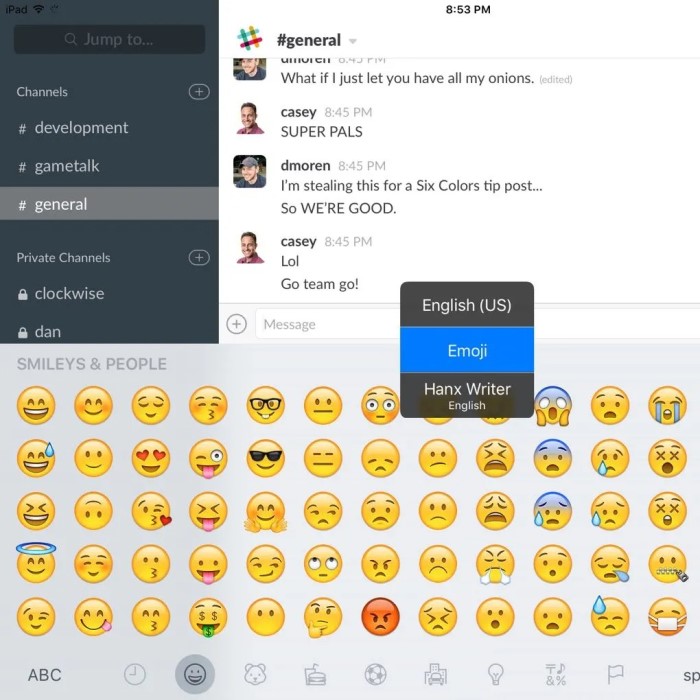
In today’s digital age, emojis have become a fundamental part of how we communicate. They add color, emotion, and depth to our conversations, making textual communication more engaging. Learning how to bring up emoji keyboard is essential for anyone who wants to express themselves fully through text. Whether you’re using a smartphone, tablet, or computer, accessing emojis can significantly enhance your messaging experience. In this article, we will explore various methods for accessing the emoji keyboard across different devices, making it easier for you to bring your conversations to life.
The Importance of Emojis in Modern Communication
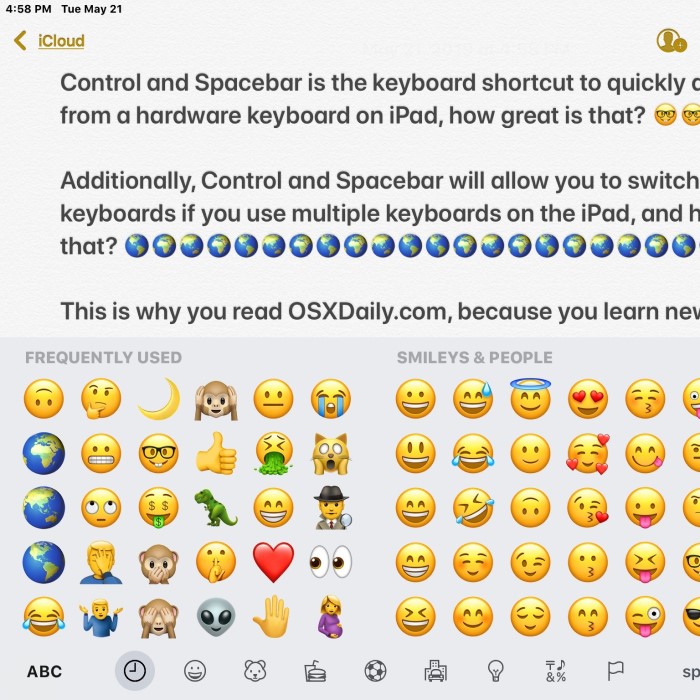
Emojis are more than just fun symbols. They play a vital role in modern communication for several reasons:
Emotional Expression:
- Beyond Words: Emojis provide a way to convey complex emotions and feelings that may be difficult to articulate with words alone. For example, a simple smiley face 🙂 can express happiness or friendliness, while a heart emoji ❤️ can indicate love or affection.
- Contextual Enhancement: By incorporating emojis, users can add layers of meaning to their messages. A text that might otherwise seem serious or neutral can be transformed into a more warm and inviting communication when accompanied by an appropriate emoji.
- Amplifying Sentiments: Emojis can intensify the emotional impact of a message. For instance, adding a sad face 😢 in a message about a disappointing event enhances the reader’s understanding of the sender’s feelings compared to text alone.
Clarifying Intent:
- Reducing Ambiguity: In written communication, especially without vocal tone or body language, messages can sometimes be misinterpreted. Emojis can help convey the intended emotional tone, ensuring that the message is received as it was meant to be.
- Contextual Cues: Emojis act as contextual cues that guide the reader’s understanding of the message. For example, a wink emoji 😉 might indicate that a message is meant to be taken lightly or humorously, thus reducing the risk of miscommunication.
- Encouraging Open Communication: By clarifying intent, emojis can foster a more open and friendly dialogue. Knowing that the intention behind a message is clear can encourage more honest and relaxed interactions.
Engagement:
- Breaking Monotony: Text-based conversations can sometimes be dull or feel flat, especially in lengthy exchanges. The incorporation of emojis adds a visual break and can make a conversation feel more dynamic and lively.
- Capturing Interest: Emojis can draw attention to key points in a message, making the content more visually appealing. A well-placed emoji can emphasize excitement, surprise, or urgency, enhancing the reader’s interest in the conversation.
- Enhancing Interaction: Utilizing emojis can create a more inviting atmosphere for communication, encouraging recipients to respond more actively. A playful exchange with emojis can prompt more enthusiastic engagement compared to plain text.
Cultural Relevance:
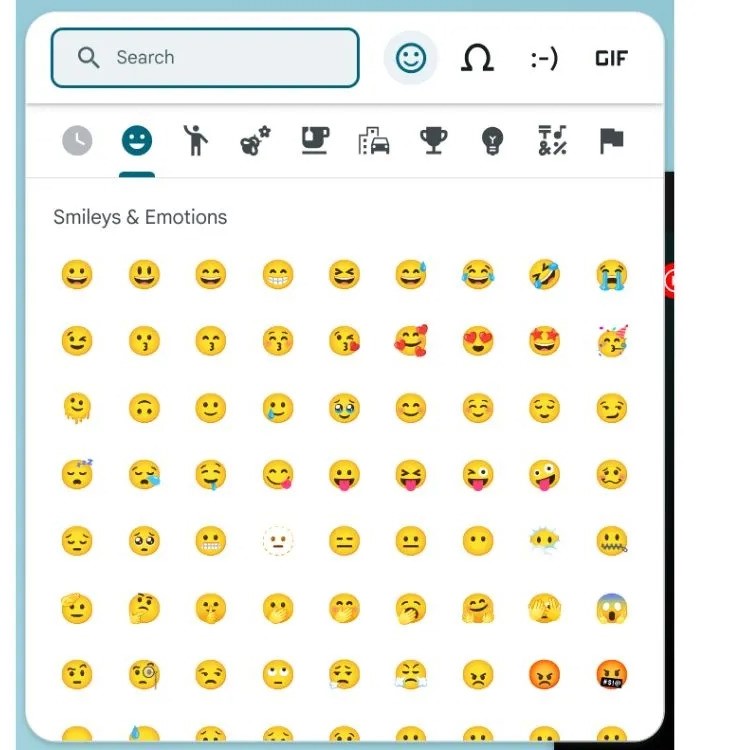
- Reflecting Societal Trends: Emojis have evolved into a cultural phenomenon that mirrors the current events and sentiments of society. They often symbolize collective experiences, reactions, or opinions related to trending topics, allowing users to connect through shared cultural references.
- Language of Younger Generations: For many younger individuals, emojis have become an integral part of digital communication, often replacing traditional language in casual contexts. Their use as a form of expression resonates with the digital natives who grew up in an emoji-rich environment.
- Adapting to Diverse Audiences: Understanding the cultural significance of different emojis can be crucial for effective communication. Certain emojis might hold specific meanings or connotations in various communities, making it important to consider the audience’s cultural context when using them.
iPhone
iPhones provide a user-friendly way to access the emoji keyboard. Here’s how to bring it up:
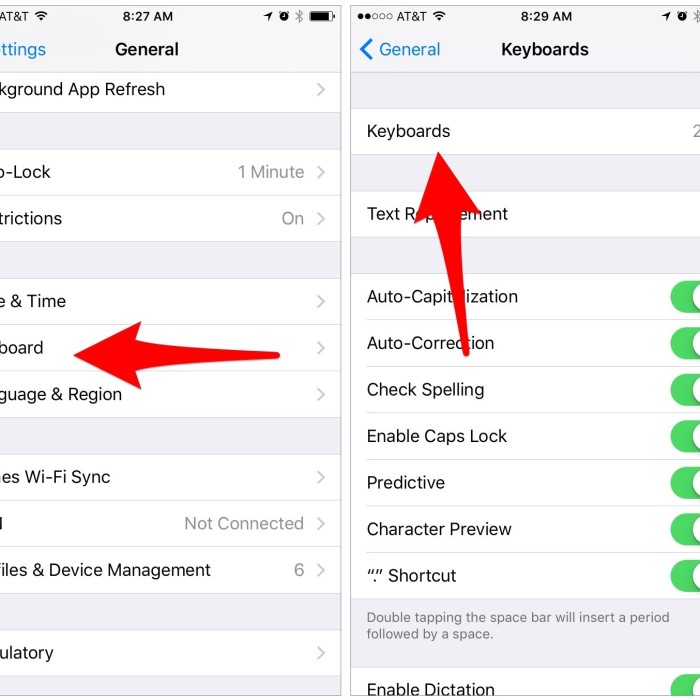
1. Enable Emoji Keyboard
- First, ensure that the emoji keyboard is enabled on your device:
- Go to Settings > General > Keyboard > Keyboards.
- Tap Add New Keyboard… and select Emoji.
2. Accessing the Emoji Keyboard
- To access the emoji keyboard while texting:
- Open a messaging app, such as iMessage.
- Tap on the text field to start a conversation.
- Tap on the smiley face icon (the emoji button) located on the keyboard.
- Your emoji keyboard will display, allowing you to select your desired emojis.
3. Using Emoji Suggestions
- As you type, your iPhone may suggest emojis related to your written words. For example, typing “happy” may prompt a smiley face.
Android Devices
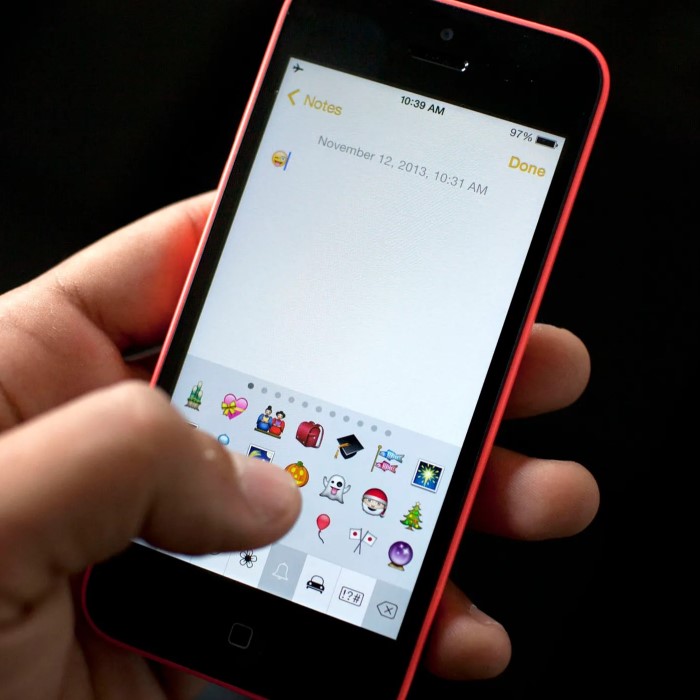
If you’re an Android user, bringing up the emoji keyboard is also straightforward:
1. Enable Emoji Keyboard
- Most Android devices come with an emoji keyboard pre-installed. However, if you don’t see it, check your keyboard settings.
- Go to Settings > System > Languages & input > Virtual keyboard.
- Tap on your keyboard (e.g., Gboard) and ensure emojis are enabled.
2. Accessing the Emoji Keyboard
- Open a messaging app like WhatsApp or Facebook Messenger.
- Tap on the text input field to bring up the keyboard.
- Tap the smiley face icon or emoji button usually located near the text bar.
- Your emoji keyboard will appear, ready for use.
3. Swipe to Find Emojis
- You can swipe through different categories of emojis. Many Android keyboards also let you search for specific emojis using keywords.
Windows PCs
How to bring up emoji keyboard? For those using a Windows PC, accessing the emoji keyboard is surprisingly easy:
1. Using the Shortcut
- To bring up the emoji panel, simply press Windows Key + . (period) or Windows Key + ; (semicolon) on your keyboard.
- The emoji panel will pop up, showing various emojis you can select.
2. Inserting Emojis in Applications
- You can use the emoji panel in any application that allows text input, such as Microsoft Word, Notepad, or web browsers.
3. Creating Shortcuts
- Windows allows users to copy frequently used emojis and create shortcuts for faster access in your documents and messaging applications.
macOS
Mac users also have an easy way to access emojis:
1. Using the Menu Bar
- Click on the text field in any application where you want to insert an emoji.
- Press Control + Command + Spacebar simultaneously to open the emoji picker.
2. Searching for Emojis
- In the emoji panel, you can browse through categories or search for specific emojis using the search bar.
Chromebook
Chromebook users can access the emoji keyboard with a simple shortcut:
1. Using Keyboard Shortcut
- Click the text field where you want to enter an emoji.
- Press Search + Shift + Space or Ctrl + Shift + U followed by the Unicode for your desired emoji.
- The emoji panel will appear, or you can insert emojis using Unicode.
Tips for Effective Emoji Use
How to bring up emoji keyboard? While emojis can enhance communication, it’s essential to use them wisely. Here are some tips:
Know Your Audience:
- Different Interpretations: Recognize that your audience may have varying cultural backgrounds and personal experiences that influence how they interpret emojis. For example, a thumbs-up emoji might signify approval to some but could be interpreted differently in other cultures.
- Tailor Your Approach: Adjust your use of emojis based on the specific audience you are communicating with. For a professional setting, more restrained and relevant emojis might be appropriate, while a casual conversation with friends could allow for a more playful emoji usage.
- Context is Key: Always consider the context of your communication. Emojis may be welcomed in a friendly text message but could appear unprofessional in a formal email or report.
Don’t Overdo It:
- Clarity Over Chaos: Using too many emojis can shift focus away from your message and lead to confusion. Instead of enhancing communication, they might dilute your main points or overwhelm the reader.
- Strategic Use: Limit emoji usage to a few impactful ones that genuinely enhance your message. For example, a single well-placed emoji can highlight a key emotion or idea, making it stand out without being distracting.
- Balance is Essential: Maintaining a balance between text and emojis ensures that your message remains readable and engaging. Aim for a harmonious blend that supports your communication style instead of detracting from it.
Stay Updated:
- Evolving Language: Understand that emoji meanings can change over time, and new emojis are continuously being added to various platforms. Staying informed about these changes can help you communicate more effectively.
- Trending Symbols and Memes: Follow social media trends and popular culture to keep up with the latest emojis and memes. Being knowledgeable about current symbols can enhance relatability and engagement with your audience.
- Avoid Obsolescence: Outdated or irrelevant emojis can make your communication seem disconnected. Regularly refreshing your emoji knowledge helps ensure your messages resonate with contemporary audiences.
Replace Words with Emojis:
- Enhancing Expression: Emojis can serve as a visual substitute for common words, enhancing the emotional tone of your message. For instance, using a laughing emoji 🤣 instead of the word “funny” can convey a deeper sense of joy or amusement.
- Caveats and Contexts: While replacing words with emojis can add flair, it’s crucial to ensure that the emoji conveys the intended meaning. Avoid using emojis in complex ideas where clarity might be compromised, as this can lead to misinterpretation.
- Creative Communication: Experiment with creatively integrating emojis into your messages as long as it remains clear and relevant. Replacing phrases like “I love pizza” with a pizza emoji 🍕 can make your communication more engaging and visually appealing.
Frequently Asked Questions
How to pull up on screen emoji keyboard?
For a simple on-screen emoji keyboard, press Windows Key + . (period) on your PC, or Control + Command + Spacebar on a Mac.
How to bring up emoji keyboard on Chromebook?
You can access the emoji keyboard on a Chromebook by pressing Search + Shift + Space. This will open the emoji panel for you to select from.
How do I put emojis on my PC?
To use emojis on your PC, press Windows Key + . (period) to bring up the emoji picker in any text field.
Conclusion: Elevate Your Communication with Emojis
In conclusion, learning how to bring up emoji keyboard is essential for enriching your digital communication. Emojis add flair, emotion, and context to your messages, fostering connections and enhancing interaction. Whether you’re using a smartphone, tablet, or desktop, accessing emojis is easy with the right steps.
By applying the tips and techniques outlined in this guide, you can effortlessly integrate emojis into your daily messaging. Keep practicing and experimenting with different emojis, and enjoy making your conversations more engaging and lively. Let your creativity shine through every message, and have fun expressing yourself with emojis!