
Introduction
The Boox E Reader is a versatile and modern digital reading device. It is designed to enhance your reading experience with advanced technology and convenient features. This e-reader is perfect for book enthusiasts, students, and professionals alike. Its functionality and flexibility make it stand out in the competitive e-reader market.
Boox E Reader combines a sleek design with high performance. It uses E Ink technology to simulate the feel of reading on paper. This ensures a comfortable and strain-free reading experience, even for extended periods.
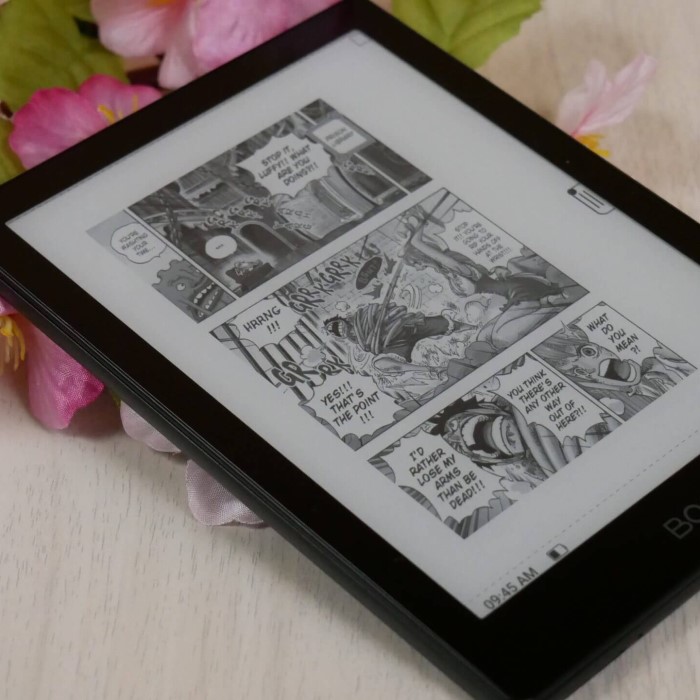
One of the device’s standout features is its compatibility with multiple file formats. It supports PDFs, eBooks, image files, and even handwriting notes. This makes it an all-in-one solution for various reading and note-taking needs.
The device also offers robust customization options. Readers can personalize font styles, sizes, and layouts. This allows users to tailor their reading experience to their preferences.
Moreover, the Boox E Reader is lightweight and portable, making it ideal for on-the-go use. Whether you are traveling, commuting, or simply relaxing at home, it is convenient to carry and use.
In the next sections, we will explore the key features and benefits of the Boox E Reader in more detail. Stay tuned to learn how it can revolutionize the way you read and interact with digital content.
Key Features
Display and Screen Technology
Boox E Readers feature advanced E Ink technology for their screens. This technology provides a paper-like reading experience with minimal strain on your eyes. The high-resolution displays offer clear and sharp text, ensuring readability even in bright light conditions. Adjustable brightness levels allow comfortable usage during the day or night.
Battery Life and Charging
Boox E Readers are built with long-lasting batteries to support extended reading sessions. Their energy-efficient design ensures the device can last for weeks on a single charge. They use standard charging options, making it convenient to recharge with commonly available chargers.
File Format Compatibility
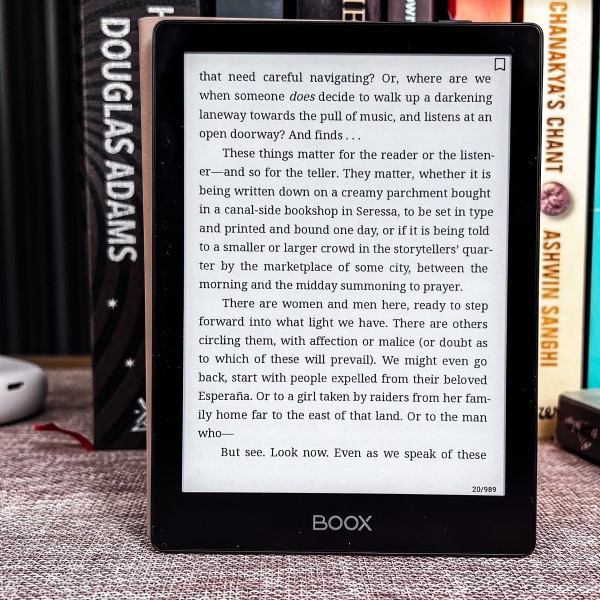
Boox E Readers work seamlessly with various file formats. They support reading PDFs, eBooks, and image files. You can upload and access documents, articles, and books without compatibility issues. This flexibility makes them suitable for students, professionals, and avid readers.
Note-Taking and Annotation Features
Boox E Readers excel in functionality with their note-taking and annotation support. Users can create handwriting notes directly on the screen using the stylus. Highlighting text, making annotations, or marking important sections in books is quick and easy. These features benefit students and professionals handling various tasks and content.
Connectivity Options
Boox E Readers provide robust connectivity features for seamless sharing and synchronization. They include Wi-Fi and Bluetooth capabilities, allowing access to online libraries and cloud services. Users can download books, sync notes, and connect to other devices conveniently. This enhances productivity and ensures digital files stay accessible anytime and anywhere.
Benefits of Using
The Boox E Reader offers numerous benefits that improve reading, convenience, and personalization. Let’s explore how it stands out.
Enhanced Reading Experience
Boox E Readers are designed to make reading enjoyable and effortless. The E Ink technology ensures a paper-like feel, reducing eye strain during long reading sessions. High-resolution displays provide sharp and clear text, making content easy to read. Adjustable brightness settings let users read comfortably in all lighting conditions. With its support for various file formats, you can access eBooks, PDFs, and notes seamlessly. This versatility enriches the reading experience for every user.

Portability and Convenience
One outstanding feature of Boox E Readers is their lightweight and portable design. You can easily carry the device in your bag, making it perfect for travel or commuting. With its long-lasting battery life, there’s no need for frequent charging. Users can enjoy their books and notes for days or weeks on a single charge. The inclusion of Wi-Fi and Bluetooth further increases convenience by facilitating access to digital libraries and cloud services. This ensures your favorite books and documents are always within reach, anywhere you go.
Customization Options for Readers
Boox E Readers allow users to tailor their reading experience. You can personalize font styles, sizes, and layouts to suit your preferences. The annotation and note-taking features offer additional flexibility, helping readers organize information effectively. Whether you want to highlight text or write handwritten notes, the device makes it simple and convenient. These customization options enhance productivity and allow readers to enjoy a truly unique experience.
Comparing Boox E Reader Models
Boox offers a range of e-readers tailored for different users. Comparing the models helps you select the perfect one based on your needs and preferences. Below are key aspects to consider when comparing Boox E Reader models:
Screen Size and Resolution
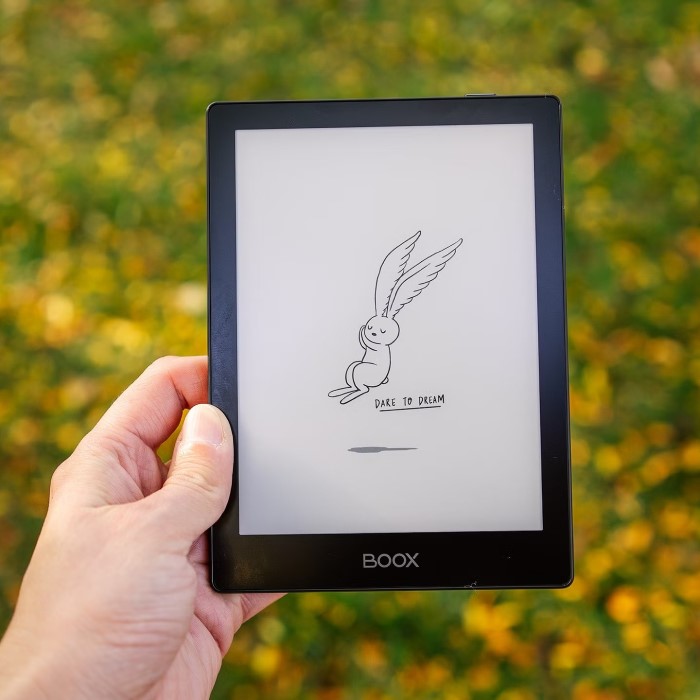
Boox E Readers come in various screen sizes, ranging from compact 6-inch models to larger 13.3-inch displays. Smaller models are portable and ideal for on-the-go reading, while larger models suit professionals and avid readers. Additionally, all models feature high-resolution E Ink displays. Larger screens provide better layouts for PDFs, academic papers, and graphic content.
Performance and Storage
Performance varies across Boox models. Some have higher RAM and processing power for smooth multitasking. Storage options range between 16GB and 128GB, depending on the model. Certain models also support external storage options like microSD cards. High-performance models are ideal for users with large eBook libraries or for those handling intensive tasks.
Stylus and Note-Taking Features
Boox offers models with advanced stylus support for note-taking and annotations. These models are perfect for students and professionals managing document edits. Some premium models include styluses with better pressure sensitivity and palm rejection. If you often take digital notes, prioritize models with enhanced stylus compatibility.
Battery Life
Battery life is a crucial consideration when choosing a Boox E Reader. Entry-level models can last weeks on a single charge, while high-end devices balance battery life with powerful features. Energy-efficient E Ink technology allows extended usage between charges, making it perfect for avid readers.
Price Range
Boox E Readers vary in price, catering to different budgets. Entry-level models are affordable and ideal for casual readers. Advanced models with more features, such as larger screens and stylus capabilities, are priced higher. Assess your budget alongside your needs to find the most suitable option.
Connectivity and Software Features
Premium Boox E Readers often include advanced connectivity options like Bluetooth, Wi-Fi, and USB-C. They also have enhanced software features such as multitasking support and eBook syncing. Basic models may lack some of these features but still provide a seamless reading experience for general use.
Recommended for Different Users
- Casual readers: Choose compact, lightweight models with basic features.
- Students and professionals: Opt for models with a focus on stylus support and larger screens.
- Graphic content enthusiasts: Pick Boox e-readers with high display resolutions and color E Ink technology.
By comparing Boox E Reader models based on these factors, you can make an informed decision. Each Boox model offers unique benefits to suit diverse needs and enhance your digital reading experience.
How to Choose the Right Boox E Reader for Your Needs
Selecting the perfect Boox E Reader depends on your needs and preferences. Here are essential factors to consider when making your decision:
1. Screen Size and Display Resolution
- Identify Your Usage: Smaller screens (6-8 inches) are lightweight and portable. They are ideal for casual readers or commuters. Larger screens (10-13.3 inches) provide better layouts for professional documents and graphic content.
- Resolution Matters: Look for high-resolution displays for clear and crisp text or detailed images.
2. Performance and Storage
- Multitasking Capabilities: Higher RAM and processing power support seamless multitasking and smooth performance.
- Storage Needs: Choose between 16GB to 128GB models based on your digital library size. Some models offer expandable storage with microSD cards.
3. Stylus and Note-Taking Features
- Advanced Stylus Support: If you take notes, prioritize models with palm rejection and pressure-sensitive styluses.
- Frequent Note-Takers: Students and professionals might favor models with enhanced note-taking and annotation features.
4. Battery Life
- Usage Patterns: Basic models are suitable for occasional readers and last weeks on a single charge. High-end models balance rich features with decent battery life for intensive users.
5. Connectivity and Software
- Wireless Connectivity: Wi-Fi and Bluetooth help access online books, sync files, and use digital cloud storage.
- Additional Features: Advanced models may include USB-C ports, multitasking, and app support.
6. Budget Considerations
- Affordability: Entry-level models are budget-friendly and meet basic reading needs.
- High-End Features: Premium models are costlier but include features like color E Ink and large screens.
7. Your Specific Needs
- Casual Readers: Opt for compact and lightweight models with standard features.
- Students and Professionals: Choose devices focusing on stylus features and larger screen sizes.
- Graphic Content Lovers: Select high-resolution models or options with color E Ink screens.
Taking these factors into account will help you make an informed decision. A Boox E Reader can enhance your reading and productivity, but choosing the right model ensures it meets your specific needs effectively.
Tips for Maximizing Boox E Reader Usage
To get the best out of your Boox E Reader, make use of these helpful tips:
1. Customize Your Display Settings
- Adjust brightness settings for comfortable reading in any lighting conditions.
- Use the warm light setting at night to reduce eye strain.
- Customize font size and style for better readability.
2. Optimize Battery Life
- Lower the brightness when reading in low-light environments to conserve battery.
- Turn off Wi-Fi and Bluetooth when not in use.
- Charge your Boox E Reader using the recommended charger and avoid overcharging.
3. Organize Your Content
- Use folders to categorize your eBooks, PDFs, and notes for quick access.
- Sync your library with cloud storage for backup and easy retrieval across devices.
4. Use Note-Taking Features Effectively
- Write directly on the screen with the stylus for quick note-taking.
- Highlight key points in eBooks to revisit later.
- Organize your handwritten notes for better accessibility.
5. Keep Your Software Updated
- Regularly check for firmware updates to ensure optimal performance.
- Install the latest software to enjoy new features and enhanced stability.
6. Utilize Third-Party Apps
- Download compatible apps to extend the functionality of your Boox E Reader.
- Use productivity apps for enhanced note-taking, writing, or managing files.
7. Take Advantage of Cloud Services
- Sync your eBooks and notes with cloud storage for convenient access anywhere.
- Use popular services like Google Drive or Dropbox for secure backups.
8. Explore Advanced Features
- Experiment with advanced settings like multi-tasking and split-screen modes.
- Use the screen mirroring feature if supported, for a bigger display.
9. Clean and Protect Your Device
- Gently clean the screen with a microfiber cloth to keep it smudge-free.
- Use a protective case to guard against scratches and impacts.
10. Learn Keyboard Shortcuts and Gestures
- Familiarize yourself with shortcuts and gestures for faster navigation.
- Use gestures to quickly adjust settings or return to the main menu.
With these tips, your Boox E Reader can offer a truly seamless reading and note-taking experience.
Frequently Asked Questions
1. What is a Boox E Reader?
A Boox E Reader is an advanced digital reading device. It offers a paper-like reading experience with E Ink technology and supports multiple file formats such as eBooks, PDFs, and images.
2. Is Boox E Reader compatible with handwriting?
Yes, Boox E Reader supports handwriting features. You can use a stylus to write, annotate, and draw directly on the screen.
3. How long does the battery last?
The Boox E Reader has a long-lasting battery. It can last for weeks on a single charge, depending on usage.
4. Does Boox E Reader allow internet connectivity?
Yes, Boox E Readers feature Wi-Fi and Bluetooth connectivity. You can access online libraries and cloud services, as well as download and sync files.
5. Can I install apps on my Boox E Reader?
Yes, many Boox models support Android apps. This enables added functionality and expands your reading experience.
6. Is the screen safe for prolonged reading?
The E Ink technology used in Boox E Readers reduces eye strain. Combined with adjustable brightness, it ensures prolonged comfort while reading.
7. Can I read in different lighting conditions?
Yes, the adjustable brightness ensures comfortable reading both during the day and at night.
8. Are Boox E Readers lightweight?
Yes, Boox E Readers are designed to be portable and lightweight. They are easy to carry anywhere.
9. Can I customize the text layout?
Yes, Boox E Readers allow you to adjust font size, style, and layout for a personalized reading experience.
10. How do I choose the best Boox E Reader for me?
Consider factors like screen size, storage, stylus support, battery life, and your budget.
11. Are there models suitable for professional use?
Yes, models with large screens and advanced stylus support are perfect for professionals. They facilitate better note-taking, editing, and document management.
12. Where can I buy a Boox E Reader?
Boox E Readers are available via their official website and other online retailers.
13. How do I update the software on my Boox E Reader?
Simply check for firmware updates in the settings menu and follow the on-screen instructions.
14. Can I use SD cards with Boox E Readers?
Some Boox models offer expandable storage via microSD cards, allowing you to store more files easily.
15. Do Boox E Readers support multi-language text?
Yes, Boox E Readers support multiple languages, making them accessible to users worldwide.
16. What file formats are supported?
Boox E Readers support a variety of file formats, including PDF, EPUB, MOBI, DOC, TXT, and more.
17. Can I sync my eBooks and notes?
Yes, you can sync your eBooks and notes through cloud services like Google Drive or Dropbox.
18. Can I read graphic novels or comics?
Yes, Boox E Readers support graphic content. Models with larger, high-resolution E Ink displays are ideal for this purpose.
These FAQs are designed to address common questions about the Boox E Reader and assist users in making an informed decision.
Conclusion: Why Choose the Boox E Reader?
In conclusion, it is clear that the Boox E Reader has significant advantages over traditional books and many other e-readers. With its advanced display technology, customizable user experience, extensive storage options, and lightweight design, the Boox E Reader caters to the needs of modern readers. Plus, its user-friendly interface and enhanced reading features make it a smart investment for anyone passionate about literature or seeking to optimize their reading habits.
As we navigate through 2025, the Boox E Reader continues to stand out as a top choice for book lovers looking to enhance their reading experience. If you are seeking a device that combines convenience, versatility, and performance, the Boox E Reader is worth considering. Embrace the future of reading with this remarkable device and unlock a world of literature at your fingertips!
 Griley