
Introduction to Hard Drives
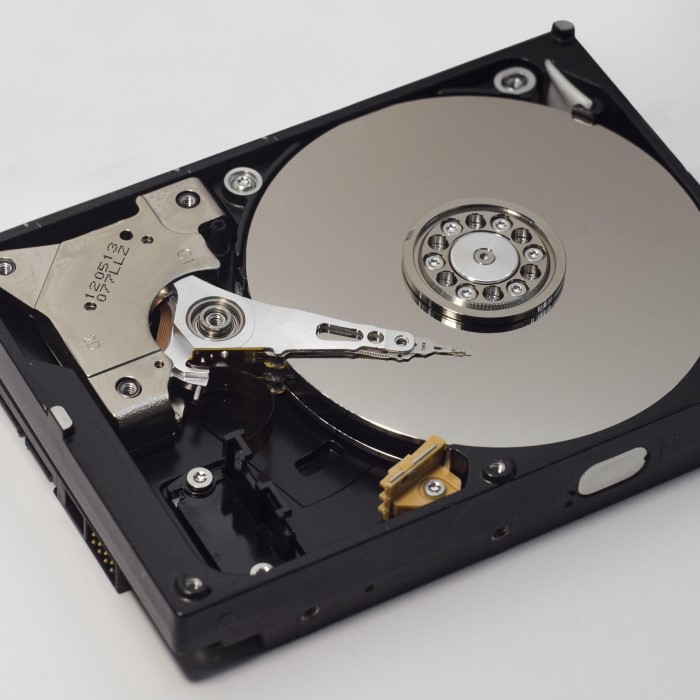
What is hard drive? Hard drives are essential parts of computers. They store and retrieve digital data. Both personal and business computers rely on hard drives. Understanding their function helps in making better tech decisions.
Definition and Purpose of Hard Drives
A hard drive is a data storage device in computers. It stores files, programs, and operating systems. Hard drives ensure quick access to digital information.
The main purpose of a hard drive is to permanently save data. Unlike RAM, it retains information when the computer is off. This makes it crucial for long-term data storage.
Importance in Computer Systems
Hard drives are vital for overall computer performance. They affect how fast a system opens files and applications. A reliable hard drive ensures smooth operations.
Every computer task requires data storage and retrieval. Whether editing documents or running software, a hard drive handles these processes. Without one, a computer cannot function properly.
Types of Hard Drives
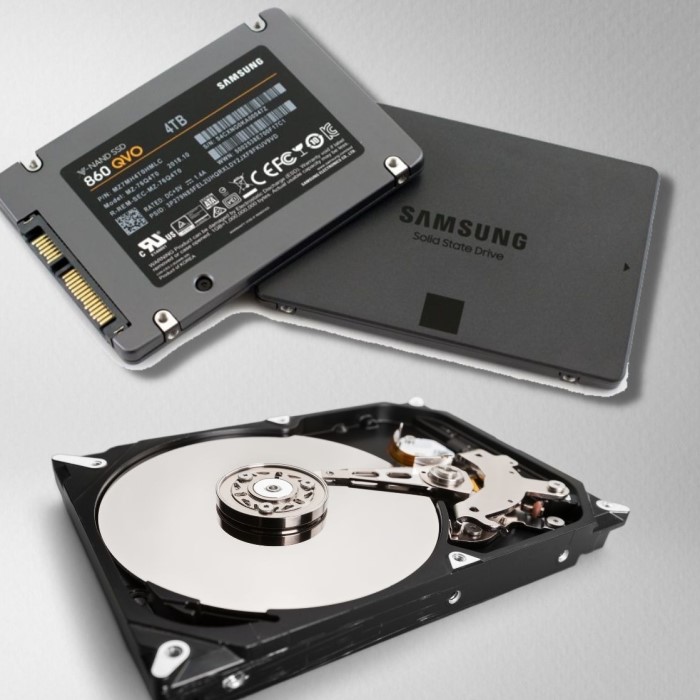
What is hard drive? Hard drives come in different types, each with unique features and benefits. The two main types are HDDs and SSDs. Understanding their differences helps in making informed decisions.
HDD (Hard Disk Drive) Overview
HDDs are traditional storage devices. They use spinning disks to store and retrieve data. Magnetic heads read and write information on these disks. They have been used for decades in personal and business computers.
HDDs are known for their high storage capacity and affordability. They are ideal for bulk storage. However, they are slower than SSDs due to moving parts. Heavy usage can lead to wear over time.
SSD (Solid State Drive) Overview
SSDs are newer technology. They use flash memory to store data. Unlike HDDs, SSDs have no moving parts. This design makes them faster and more durable.
SSDs are lightweight and energy-efficient. They are perfect for modern laptops and devices that require speed. However, they are costlier per GB compared to HDDs.
Comparison Between HDD and SSD
Speed
- Data Transfer Rates: Solid State Drives (SSDs) significantly outperform Hard Disk Drives (HDDs) when it comes to data transfer speeds. SSDs can read and write data at much higher rates due to their use of flash memory, which allows for rapid access to data blocks.
- Boot Times: One of the most noticeable advantages of SSDs is their ability to reduce boot times for operating systems. While HDDs may take several seconds to initialize, SSDs can boot up a computer in a matter of seconds, enhancing the overall user experience.
- Performance in Applications: In addition to boot speeds, SSDs enhance the performance of applications. Programs, games, and files open much quicker, leading to improved responsiveness and efficiency during use, which is especially beneficial for tasks that require intensive data access.
Durability
- Lifespan Comparison: SSDs typically have a longer lifespan than HDDs. This is largely due to the absence of mechanical moving parts in SSDs, which reduces wear and tear. Instead of spinning disks and read heads, SSDs rely on electronic circuits to access data, making them less prone to physical damage.
- Resistance to Shock and Vibrations: SSDs are more resilient to shocks and vibrations, making them ideal for portable devices and environments where physical movement can occur. HDDs, on the other hand, are more susceptible to damage if dropped or subjected to bumps, leading to potential data loss.
- Data Integrity: As SSDs have fewer components that can fail, they often maintain data integrity for longer periods. HDDs may experience mechanical failures that can corrupt or erase stored data, whereas SSDs provide more reliable long-term storage options.
Cost
- Pricing Overview: When it comes to pricing, HDDs generally offer a more affordable solution for users looking to maximize their storage capacity on a budget. They tend to have a lower cost per gigabyte than SSDs, which can make a significant difference for users needing extensive storage.
- Value for Large Data Storage: HDDs are particularly advantageous for individuals or organizations that need to store large amounts of data without breaking the bank. For instance, professionals dealing with large multimedia files or extensive databases may find HDDs to be a more economical choice.
- Market Variety: The range of HDDs on the market is extensive, with options available for various needs and budgets, making them accessible to a wide audience.
Noise
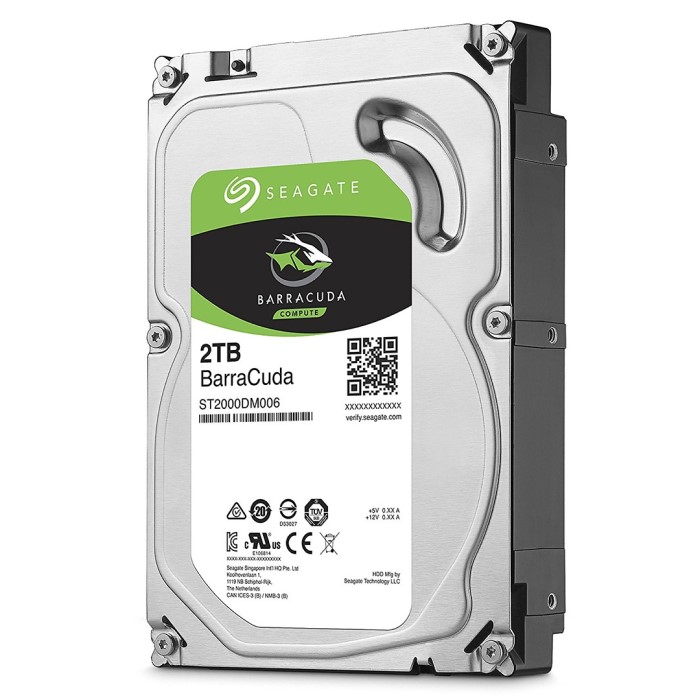
- Operational Noise in HDDs: One of the drawbacks of HDDs is that they can produce noticeable noise during operation. The spinning disks and moving read/write heads generate sounds that can be distracting in quiet environments such as libraries or during presentations.
- Silent Performance of SSDs: In contrast, SSDs operate silently because they lack any moving parts. This makes them ideal for environments where noise reduction is essential, such as offices, studios, or home theaters.
- Impact on User Experience: The quiet operation of SSDs can enhance user experience, particularly in settings where concentration is key. Users can work without the background hum or clicking sounds associated with traditional hard drives, leading to a more pleasant computing environment.
Choosing between an HDD and SSD depends on your needs. For large data storage on a budget, HDDs are better. For speed and durability, SSDs are the preferred choice.
How Hard Drives Work
What is hard drive? Hard drives are intricate devices that store and manage data efficiently. Understanding how they operate is vital.
Data Storage Mechanism
Hard drives store data in binary format, using 1s and 0s. HDDs store data magnetically on spinning disks. A spinning platter has sectors and tracks where data is written. A read/write head accesses data from specific areas. SSDs use flash memory to store data electronically. They rely on memory chips without moving parts. This results in faster and quieter storage.
The data organization ensures quick access to files and programs. Efficient data storage is essential for smooth system operations.
Reading and Writing Processes
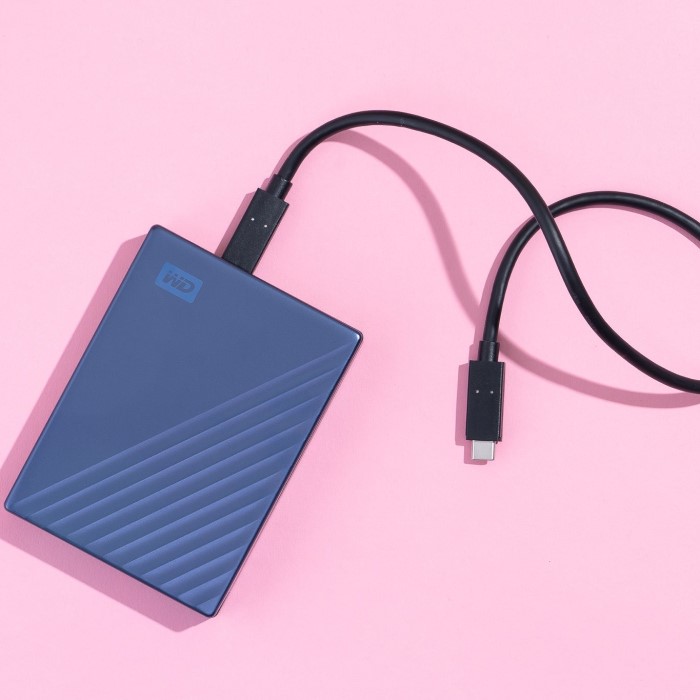
Hard drives read and write data by processing electrical signals. In HDDs, the spinning platter moves under the read/write head. Data is written magnetically when the head changes sectors. During reading, the head detects magnetic signals to retrieve stored information.
SSDs use memory cells for data access. They read and save data electronically without mechanical movement. This makes SSDs faster and more energy-efficient.
The writing process involves dividing data into smaller blocks for storage. During reading, drives rearrange and present data as complete files. This process allows programs and systems to function seamlessly.
Key Features to Consider in Hard Drives
Choosing the right hard drive requires understanding key features. These features affect performance and usability. Below are some crucial aspects to keep in mind.
Storage Capacity
Storage capacity determines the amount of data a hard drive can hold. Everyday users often need drives with moderate storage options. Businesses or professionals handling large files may require high-capacity hard drives. HDDs generally offer larger capacities at a lower cost. However, SSDs with higher capacities are also becoming common. Always assess your data storage needs before buying a drive.
Speed and Performance
Speed directly impacts how quickly files are accessed or saved. HDDs usually have slower speeds due to moving parts. On the other hand, SSDs offer faster performance due to flash memory. A fast hard drive ensures quick boot times and smooth operations. If speed is necessary, SSDs are better for modern devices.
Durability and Reliability
Durability is important for long-term hard drive use. HDDs can wear out faster due to moving parts. They are also more prone to damage from drops or shocks. SSDs lack moving components, making them more durable. Reliability ensures data safety over time. Choose high-quality drives for better durability and reliability, especially for regular or heavy usage.
Common Hard Drive Issues and Solutions
Hard drives are reliable but can face issues. These problems can affect device performance. Understanding common issues helps in fixing them effectively.
Data Loss and Recovery
Data loss occurs when files vanish unexpectedly. Causes include accidental deletion, formatting errors, or malware attacks.
- Prevention Tips: Regular backups reduce the risk of losing important data.
- Recovery Options: Data recovery software can retrieve deleted files. Seek professional help for severe cases.
- Steps for Recovery:
- Stop using the hard drive to avoid overwriting lost data.
- Use reliable recovery tools tailored for your hard drive type.
Addressing data loss promptly increases chances of recovery.
Physical Damage Repairs
Physical damage happens due to drops, shocks, or wear-and-tear. Common signs include strange noises or system errors.
- Prevention Tips: Handle hard drives gently and avoid sudden impacts. Invest in shockproof cases if needed.
- Repair Solutions: Professional repair services deal with cracked platters and damaged circuits. DIY approaches often worsen damage.
- Temporary Fixes:
- Avoid plugging in the damaged drive until inspected.
- Use external enclosures to access files temporarily.
Regular maintenance and careful use prevent many physical issues.
Tips for Choosing the Right Hard Drive
Selecting the right hard drive is essential for performance and storage efficiency. Decisions should match your specific needs and budget.
Assessing Your Needs
Start by analyzing what you require from a hard drive. Consider the following:
- Storage requirements: Determine the amount of data you plan to store. Large files like videos or design projects demand higher capacity. For casual users, lower storage may suffice.
- Intended usage: Understand how the hard drive will be used. Gamers or video editors might need SSDs for their speed. For long-term bulk storage, HDDs are often sufficient.
- Portability: Choose lightweight SSDs if you need a drive for portable devices. External HDDs work well for on-the-go backups but are bulkier.
Understanding these factors ensures the chosen drive meets your expectations.
Budget Considerations
Your budget greatly influences the type of hard drive you can afford. Here are some points to think about:
- HDD vs. SSD: HDDs provide high storage capacity at a lower price. SSDs are costlier but come with better speed and durability.
- Prioritize key features: If speed and reliability matter more, invest in an SSD. For large storage with moderate speed, an HDD is often better value.
- Future needs: Spending slightly more now for added storage can save upgrades later. Balance short-term price with long-term benefits.
Always compare brands, storage options, and warranties to make informed choices within your budget.
Future of Hard Drive Technology
The future of hard drive technology is evolving rapidly. Innovations aim to meet the growing demand for faster, larger, and more efficient storage solutions.
Innovations in Storage Solutions
- Higher Data Density: Manufacturers are developing technologies to store considerably more data in smaller spaces. Techniques like Heat-Assisted Magnetic Recording (HAMR) and Microwave-Assisted Magnetic Recording (MAMR) are improving storage capacity. They enhance the density of data stored on platters without compromising reliability.
- Hybrid Drives: Hybrid drives combine HDD and SSD technologies. They store frequently used data in flash memory for speed while maintaining high capacity with traditional platters.
- Energy Efficiency: Future drives aim at reducing energy consumption, which is critical for data-driven operations. Advancements like low-energy SSDs are gaining popularity, especially in portable and enterprise computing.
- Enhanced Security: Built-in encryption technologies are becoming standard. This ensures secure data storage, especially for personal and business-sensitive information.
- Quantum Storage Potential: Though still in the research phase, quantum-based storage technology holds potential for massive data storage advancements.
Impact on Computing Devices
- Laptop and PC Performance: Faster SSDs will shorten boot and load times, improving overall device performance. These advances make high-powered computing more accessible for users needing efficiency.
- Portability: With advancements in drive compression and lightweight designs, portable devices will benefit. Compact SSDs allow for sleeker, more energy-efficient laptops and tablets.
- Cloud Storage Systems: Hard drive innovation will significantly impact cloud computing. Data centers will use larger, faster, and more energy-efficient drives, enabling cost savings and increased capacity.
- Gaming and Design: Modern gaming consoles and design tools demand high-speed data access. Future SSDs with better durability and processing power will enhance user experiences.
- IoT and Edge Computing: As IoT devices proliferate, local storage becomes essential. Enhanced hard drives will support edge computing, improving speed and efficiency for connected devices.
Hard drive technology is heading toward faster, more reliable, and eco-friendly solutions. These innovations will redefine how we store, access, and safeguard data.
Conclusion: What Is Hard Drive in 2025?
In summary, a hard drive is an essential component of modern computing, providing a foundation for data storage. In this exploration of what is hard drive, we have covered its definition, functions, types, and operational processes. As technology continues to advance, understanding hard drives’ role and evolution remains crucial.
As we look ahead to 2025, users must consider the expanding array of storage options available, including HDDs and SSDs. Ultimately, the choice depends on individual needs and preferences. By keeping these insights in mind, you can make informed decisions about your data storage solutions.
 Griley